TV channels
The television has a digital tuner. This means it can receive both analog and digital channels. Switching between analog and digital channels is done manually.
Changing channels
1. Press the controller.
The available channels are shown on the left side of the screen.
2. Select a channel and press the controller.
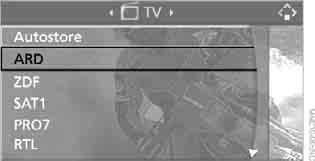
To change channels during broadcast, turn the controller.
Channels can also be changed using the steering wheel buttons.
Updating the list of receivable channels
On vehicles with a rear-seat DVD system, the list of receivable channels is updated automatically. If there is no rear DVD system, the list may need to be updated manually.
1. During playback, press the controller.
2. Select "Autostore" and press the controller.
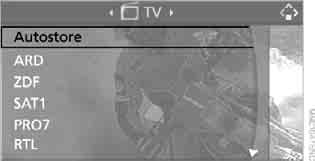
The list of channels with the best reception is updated.
Automatic changeover
On vehicles with a rear-seat DVD system, the tuner can be set to switch automatically to analog reception when driving outside the digital TV coverage area, and back again. The unit automatically switches to the stronger signal.
1. Select "TV" and press the controller.
2. Select "[Follow]" and press the controller.
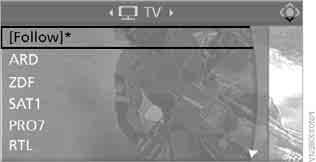
indicates that the automatic switching function is active. If a channel is broadcast in both analog and digital format, it appears only once in the channel list.
Test yourself
A quick BMW X3 quiz: every answer comes with an explanation and a link to the manual page.