Picture settings
Adjusting brightness and contrast
1. Press the button .
The main menu opens.
2. Push the controller back to open the "Entertainment" menu.
3. Move to the upper field. Select "TV" and press the controller to start the broadcast.
4. During the broadcast, press the controller twice.
5. Select "Graphics settings" and press the controller.
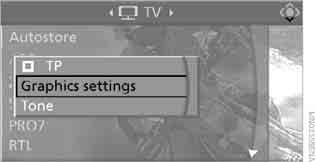
6. Move to the upper field. Turn the controller to select "Video" and press the controller.
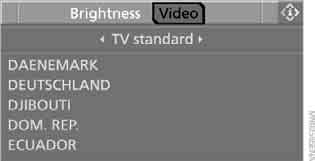
7. Select "Brightness" or "Contrast" and press the controller.

8. To set the desired value, turn the controller.
Restoring default values
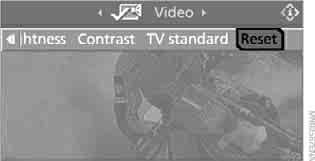
Select "Reset" and press the controller.
Switching standards
There are many television standards in the world. You can set your TV receiver to any known standard.
1. Press the button .
The main menu opens.
2. Push the controller back to open the "Entertainment" menu.
3. Move to the upper field. Select "TV" and press the controller to start the broadcast.
4. During the broadcast, press the controller twice.
5. Select "Video" and press the controller.
6. Move to the second field from the top.
Select "TV standard" and press the controller.
7. Select the desired country of stay from the list and press the controller.
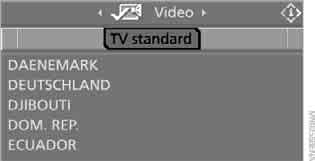
The list of receivable channels is updated automatically.
Test yourself
A quick BMW X3 quiz: every answer comes with an explanation and a link to the manual page.