Entering a Destination Manually
The word matching function makes it easier to enter city and street names. It offers various spellings and automatically suggests the end of a word. This speeds up selection of stored names.
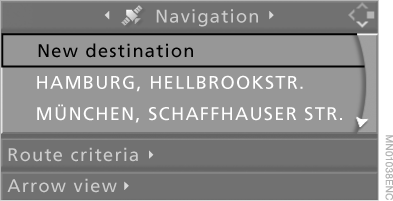
1. Select "Navigation" and press the controller.
"New destination" is selected by default.
2. Press the controller.
3. Select "Dest. input" and press the controller.

The system has the following features:
► If you do not specify a street, the system will guide you to the center of the locality.
► If the previously entered country and locality are correct, these settings can be skipped.
When entering a destination, some voice control system commands differ from the menu items on the control display. Therefore, first listen to the list of commands as spoken by the system.
Test yourself
A quick BMW X5 quiz: every answer comes with an explanation and a link to the manual page.