Selecting the destination via additional information
You can view information on the screen about hotels, sights, hospitals and other similar facilities, and then call these addresses or select them for route guidance.
1. Select "Navigation" and press the controller.
"New destination" is selected by default.
2. Press the controller.
3. Select "Information" and press the controller.
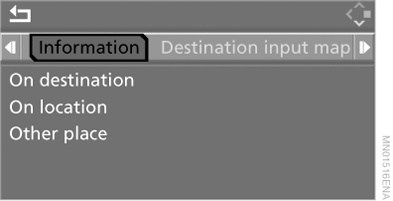
4. Select the locality:
► "On destination";
► "On location";
► "Other place".
► In the "Business" navigation system:
"On country".
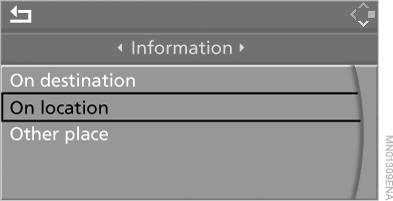
5. Press the controller.
6. Select the required category, for example "Hotels and Restaurants", and press the controller.
The control display shows a list sorted by distance or alphabetically.

7. Select the destination and press the controller.
8. Select the following in the menu:
► to add the address to the destination list and start route guidance, select "Accept as destination" and press the controller;
► to call this address, select "Place call" and press the controller.
► In the "Business" navigation system:
to display the address and telephone number of the facility, select "Details" and press the controller.
To exit the menu, select and press the controller.
Test yourself
A quick BMW X5 quiz: every answer comes with an explanation and a link to the manual page.