Requirements
To use the "TeleService" and "BMW Assist" services, the following conditions must be met:
Your vehicle has the "Business" mobile phone preparation package and a SIM card is inserted.
The automatically selected mobile network supports these services.
To transmit the vehicle location, the navigation system must be able to determine your position. The vehicle position is shown on the Control Display.
For "BMW Assist": the "BMW Assist" service package has been ordered at a BMW Service Center or at the BMW Customer Relations Center.
Enabling "TeleService" or "BMW Assist" Services
The "TeleService" and "BMW Assist" services can be used after they have been activated.
During the entire activation process, the ignition key must remain in position 1.
iDrive operating principles
1. Press the button.
The main menu opens.
2. Press the controller to open the menu .
3. Select "Communication interface" and press the controller.
4. Select "BMW Service settings" and press the controller.
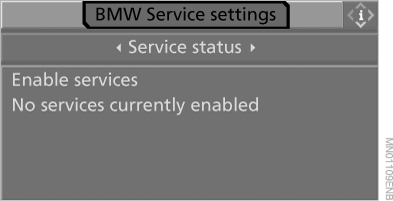
5. Select "Service status" and press the controller.
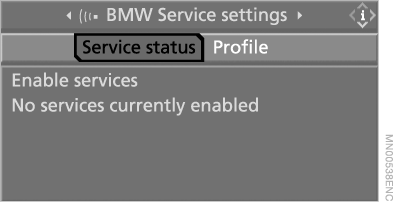
6. Select "Enable services" and press the controller.
The "TeleService" and "BMW Assist" services are now enabled. Data exchange with the operator center starts.
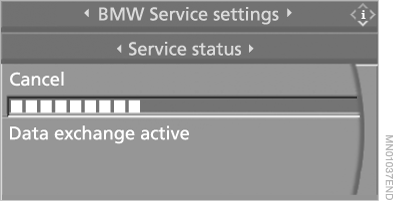
Activation takes a few minutes.
The corresponding status is shown on the Control Display. If necessary, the menu can be closed; this does not interrupt the activation process.
Test yourself
A quick BMW X5 quiz: every answer comes with an explanation and a link to the manual page.