Contacting BMW
Using the mobile phone registered in the vehicle, you can contact the following services without activating the BMW Assist services:
► BMW Group emergency service (breakdown assistance);
► BMW dealer (service appointment);
► BMW Customer Service hotline (vehicle questions).
iDrive operating principles
1. Press the button .
The main menu opens.
2. Slide the controller forward to open the "Communication" menu.
3. Select "BMW Contact" and press the controller.
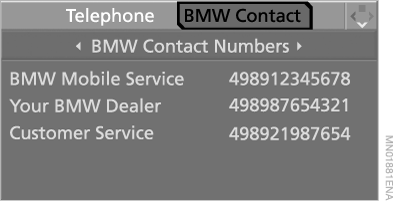
4. Select "BMW Contact Numbers" and press the controller.

5. Select one of the following menu items and press the controller:
► "BMW Mobile Service" (BMW emergency service);
► "Customer Service" (BMW hotline);
► "Your BMW Dealer" (your BMW dealer).
6. Select "Place call" and press the controller.
The connection to the selected service is established.
Test yourself
A quick BMW X5 quiz: every answer comes with an explanation and a link to the manual page.