Operation
Controls and Buttons
The audio-navigation system is operated using the buttons, the multifunction knob and the on-screen menus.
The system uses the following buttons and controls:
- Audio-navigation system buttons and control knob
- Steering wheel buttons
Turning the System On/Off
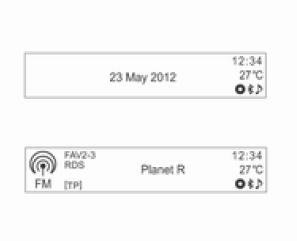
Press the POWER/VOLUME knob to turn the system on.
When the power is turned on, the last radio station or track played will be resumed.
(This differs when listening to audio via Bluetooth, depending on the device.) Press the POWER/VOLUME knob to turn the system off.
Automatic Shut-Off
If the ignition switch (key) is in the OFF position and the audio-navigation system is turned on with the POWER/VOLUME knob, the system will turn off automatically 10 minutes after the last operation performed by the user.
Volume Adjustment
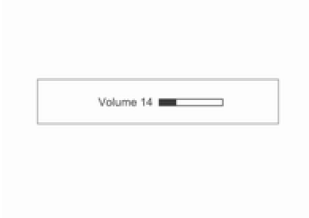
Turn the POWER/VOLUME knob to adjust the volume.
- Press the VOLUME [+/-] buttons on the steering wheel to adjust the volume.
- The current volume level is displayed.
- When the audio-navigation system is turned on, the volume will be restored to the last used level (if it is lower than the initial maximum volume).
Automatic Volume Adjustment
When speed-dependent volume compensation is active, the volume is automatically adjusted to the vehicle speed to compensate for engine and tyre noise. (See Settings → Radio Settings → Auto. Volume.
Volume Adjustment).
High-Temperature Volume Limit
If the temperature inside the radio unit rises to a very high level, the audio-navigation system will limit the maximum volume that can be set.
If necessary, the volume will be reduced automatically.
Sound Tone Settings
In the Sound Tone Settings menu, separate settings can be made for FM/AM/DAB radio and for each audio source.
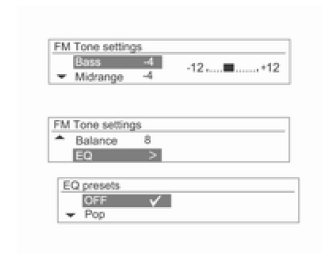
Press the TONE button while using the desired audio source.
Turn the MENU-TUNE knob to select the desired tone setting, then press the MENU-TUNE button.
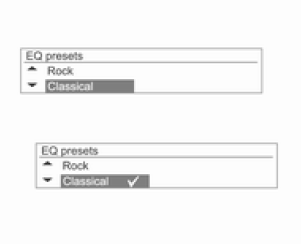
Turn the MENU-TUNE knob to select the desired tone setting value, then press the MENU-TUNE button.
Press and hold the MENU-TUNE button in tone settings mode to reset the currently selected item, or press and hold the TONE button to reset all items in tone settings mode.
Tone settings
- Bass: adjust the bass level from -12 to +12
- Middle: adjust the midrange level from -12 to +12
- Treble: adjust the treble level from -12 to +12
- Fader: adjust the sound balance between front and rear speakers from 15 front to 15 rear (six-speaker version)
- Balance: adjust the sound balance between left and right speakers from 15 left to 15 right
- EQ (equalizer): select or turn off the music type (Off ↔ Pop ↔ Rock ↔ Classical ↔ Talk ↔ Country).
Function selection
FM/AM band or DAB radio
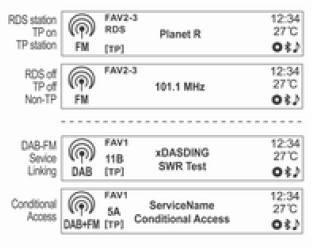
Press the RADIO BAND button to switch on FM/AM or DAB radio reception.
Press the MENU-TUNE button to open the FM menu, AM menu or DAB menu, which contain station selection options.
CD/MP3/USB/iPod/Bluetooth audio playback or external audio input (AUX)
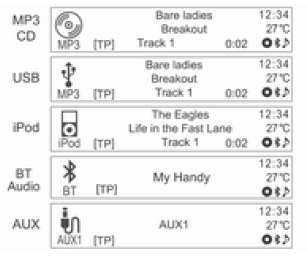
Press the CD/AUX button to switch the audio player between AUX input, CD/MP3, connected USB or iPod, and Bluetooth audio player.
(MP3/CD → USB → iPod → BT Audio → AUX → CD/MP3 → ...) Press the SOURCE [ SRC
 ]
button on the steering wheel to select the desired mode.
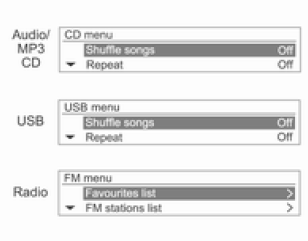
Press the MENU-TUNE button to open the menu with options for the current function or device (except Bluetooth audio).
Bluetooth hands-free phone system
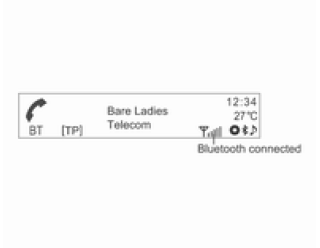
Press the PHONE/MUTE button to select the Bluetooth hands-free phone function (type 1/2-A models only).
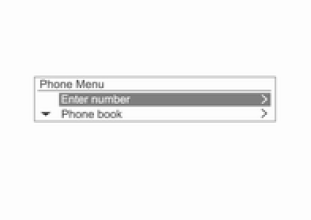
Press the PHONE/MUTE button to open the Bluetooth menu with options for this function.
Test yourself
A quick Chevrolet Aveo quiz: every answer comes with an explanation and a link to the manual page.