Personalization
Main buttons/knob
The following buttons and knob are used in the settings menu: (12) CONFIG button: press this button to display the settings menu.
(14) MENU-TUNE knob button
- Turn the knob to move through menus or settings items.
- Press the button to select/open the detailed screen of the current menu or settings item.
(16) BACK button BACK
Delete the entered item or return to the previous screen/menu.
Using the settings menu for personalization
- Menus and settings functions may vary depending on the vehicle model.
- See: Settings menu information overview below.
[Example] Settings → Clock and date → Setting date: 23 Jan 2012
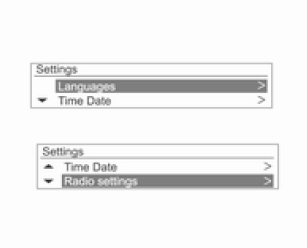
Press the CONFIG button to display the settings menu.
After reviewing the settings menu information overview below, turn the MENU-TUNE knob to go to the desired settings menu, then press the MENU-TUNE knob.
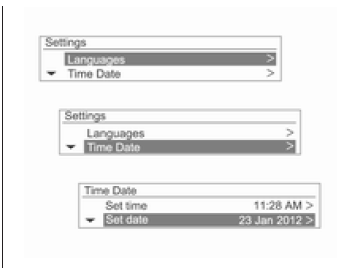
- A detailed list of the settings menu options or the function appears.
- If another detailed list of options is available, repeat this step.
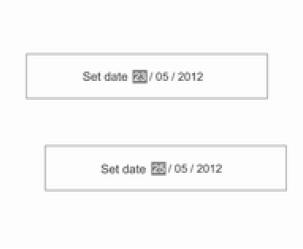
Turn the MENU-TUNE knob to reach the desired settings item or function, then press the MENU-TUNE button.
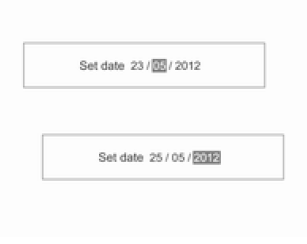
- If the detailed list contains several items, repeat this step.
- Set/enter the desired settings value or function status
Settings menu information overview
[Languages]
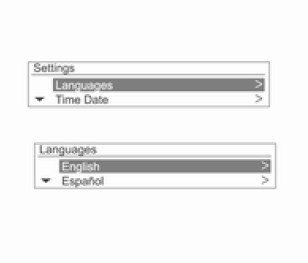
Select the desired language.
[Clock and date]
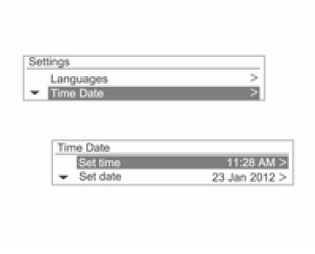
Clock setting: set the current hours and minutes manually.
- Date setting: set the current year/month/day manually.
- Time format setting: select 12-hour or 24-hour time display.
- Date format setting: set the date display format.
YYYY.MM.DD: 2012 Jan 23 DD/MM/YYYY: 23 Jan. 2012 MM/DD/YYYY: Jan. 23, 2012
- Clock synchronization via RDS: select On.
or Off
[Radio settings]
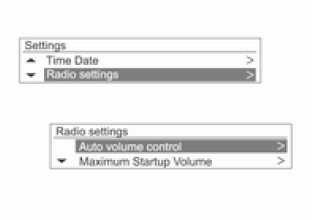
- Automatic volume adjustment: set Off/Low sensitivity/Medium sensitivity/High sensitivity.
- Maximum start-up volume: set the upper limit of the start-up volume manually.
- Favorite radio stations: set the number of favorite station sets manually.
- Automatically preset stations: set the Automatically preset stations function for each radio band.
- RDS options: set the RDS options.
- RDS: On/Off (turn the RDS function on or off).
- Regionalization: On/Off
(turn the Regionalization function on or off).
- Text scroll stop: On/Off (turn the Text scroll stop function on or off).
- Driver message volume: set the Driver message volume.
- DAB settings: set the DAB settings.
- Automatic ensemble switching: On/Off
(turn the Automatic ensemble switching function on or off).
- DAB-FM automatic switching: On/Off (turn the DAB-FM automatic switching function on or off).
- Dynamic sound adaptation: On/Off (turn the Dynamic sound adaptation function on or off).
- Band selection: set Both, Band L or Band III.
[Bluetooth settings]
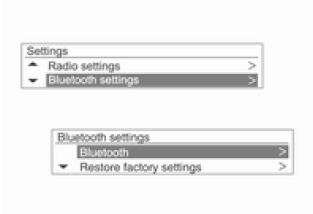
Bluetooth: go to Bluetooth settings.
- Enabling: select On.
or Off
- Device list: select the desired device, then select Select/Connect/Disconnect or Delete.
- Pair device: attempt to register a new Bluetooth device.
- Change Bluetooth code: change/set the Bluetooth code manually.
- Restore factory settings: restore the settings to factory values.
Test yourself
A quick Chevrolet Aveo quiz: every answer comes with an explanation and a link to the manual page.