Chevrolet Cruze Repair Manual
Installation Procedure
In this manual: Chevrolet Cruze Repair Manual
18steps
~108min
4/5difficulty
Done 0 of 18
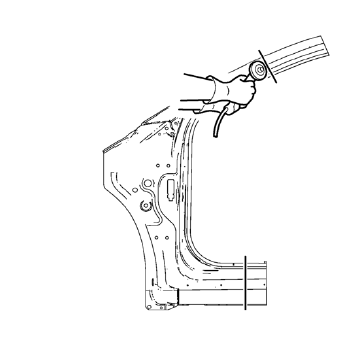
- Cut the front hinge pillar body in corresponding locations to fit the remaining original panel. The sectioning joint should be trimmed to allow a gap of one-and-one-half-times the metal thickness at the sectioning joint.
- Create a 50 mm (2 in) backing plate from the unused portion of the service part.
- Drill 8 mm (5/16 in) along the sectioning cut on the remaining original part. Locate these holes 13 mm (1/2 in) from the edge of part and spaced 40 mm (1½ in) apart
- Prepare all mating surfaces as necessary.
- Fit the backing plates halfway into the sectioning joints, clamp in place and plug weld to the vehicle.
- Align the front hinge pillar body.
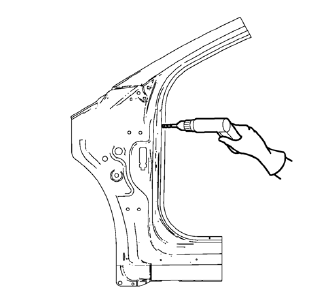
- Drill 8 mm (5/16 in) for plug welding along the edges of the front hinge pillar body as noted from the original panel.
- Clean and prepare the attaching surfaces for welding.
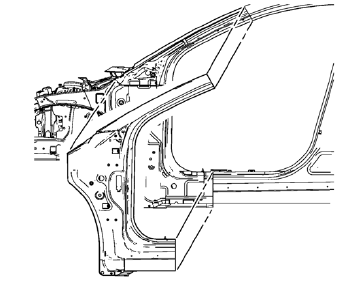
- Position the front hinge 9. pillar body on the vehicle.
- Verify the fit of the front hinge pillar body.
- Clamp the front hinge pillar body into position.
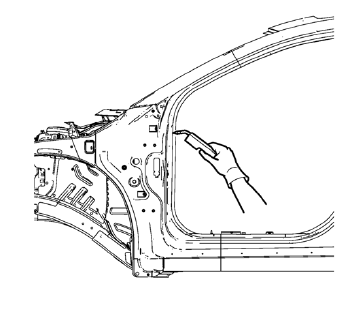
- Plug weld accordingly.
- To create a solid weld with minimum heat distortion, make 25 mm (1 in) stitch welds along the seam with 25 mm (1 in) gaps between them. Then go back and complete the stitch weld.
- Apply the sealers and anti-corrosion materials to the repair area, as necessary. Refer to Anti-Corrosion Treatment and Repair.
- Paint the repaired area. Refer to Basecoat/Clearcoat Paint Systems.
- Install all related panels and components.
- Connect the negative battery cable. Refer to Battery Negative Cable Disconnection and Connection.
- Enable the SIR system. Refer to SIR Disabling and Enabling.
Test yourself
A quick Chevrolet Cruze quiz: every answer comes with an explanation and a link to the manual page.
Was this page helpful?