Storage Compartments
In this manual: Storage Compartments
4steps
~24min
2/5difficulty
Done 0 of 4
Cup holder
Note: Place objects carefully in the cup holder, as they may move during hard braking, acceleration or collisions, including hot drinks that may spill.DANGER
Only place plastic containers in the cup holder. Hard objects may injure occupants in an impact.Center console
The vehicle may be equipped with various console features. These include:- Auxiliary input socket
- USB
- Auxiliary power outlet
- Dock My Ford.
- 2 cup holders
- 2 bottle holders
- Coin holder
DANGER
Driver distraction can cause loss of vehicle control, resulting in the risk of accidents and personal injury. We strongly recommend exercising extreme caution when using any device that may take your attention away from the road. The driver's primary responsibility is the safe operation of the vehicle. Do not use hand-held devices while driving. Always use hands-free devices where possible. Be aware of local laws and regulations that may restrict the use of electronic devices while driving.Note: Do not leave mobile phones or other temperature-sensitive electronic devices inside the storage compartment for extended periods. Sunlight can cause high temperatures inside it, which may damage the device. See the device's user manual for supported storage temperatures.
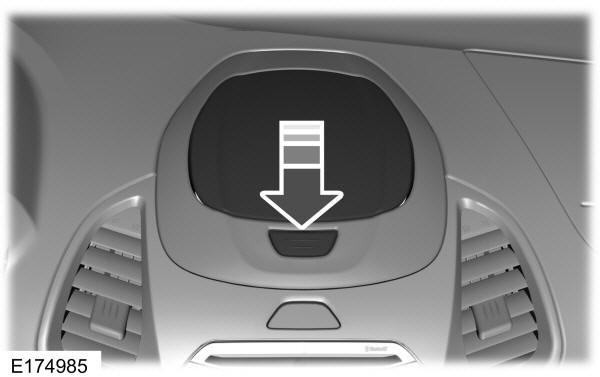
- Press the button to fully open the device dock.
- Place the device on the rubber mat at the bottom.

- Lower the cover until it holds the device in place.
- Press and hold the button to release the device.
Map pockets
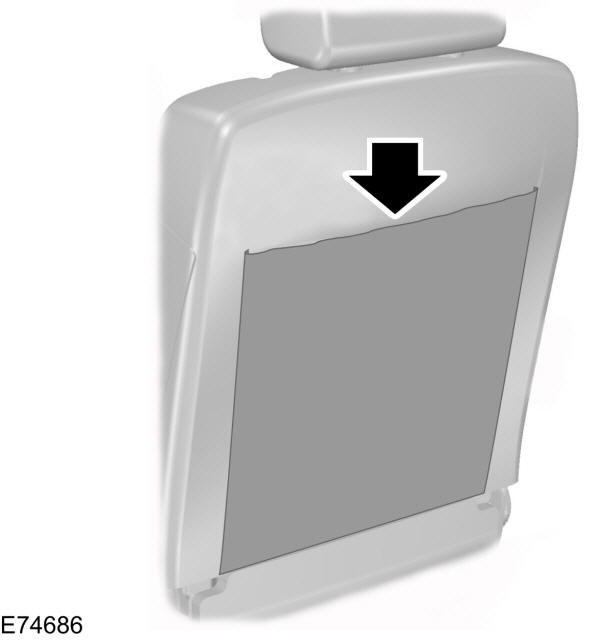
Bottle holder

Test yourself
A quick Ford Ka quiz: every answer comes with an explanation and a link to the manual page.
Was this page helpful?