Second generation (2007-2026)
Selecting Bluetooth® Audio Mode
In this manual: Second generation (2007-2026)
~1min read
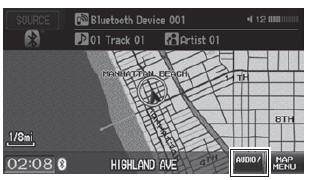
1. Make sure that your phone is on, paired, and linked to HFL. 2. Press the CD/AUX button until you get to Bluetooth® Audio mode. ► A Bluetooth® message and icon are displayed on the display and screen. 3. Select AUDIO/STREET until AUDIO is highlighted in blue.
► The audio information is displayed at the bottom of the screen.
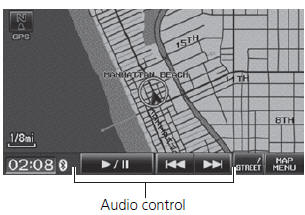
4. Select
 or
 to select a track.
5. If necessary, follow the cell phone operating instructions for playing audio tracks.
Check the following if the phone is not recognized: • Another HFL-compatible phone, which is not compatible for Bluetooth® Audio, is already connected.
Test yourself
A quick Honda Fit quiz: every answer comes with an explanation and a link to the manual page.
Was this page helpful?