Second generation (2007-2026)
Audio Screen Control
In this manual: Second generation (2007-2026)
~1min read
 AUDIO button (in BT mode)
Control the audio screen through the navigation system.
Select an item.
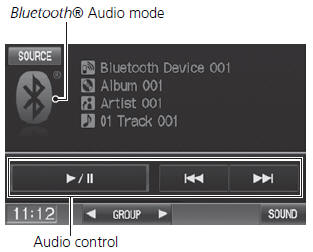
The following items are available:
• GROUP: Select or
 to select a playlist, album, genre,
etc. • SOUND: Displays the sound preferences screen. • SOURCE
: Changes the source mode.
The display items vary on the connected device.
The following functions may not be available on some devices:
• Pause function
• Group selection
Test yourself
A quick Honda Fit quiz: every answer comes with an explanation and a link to the manual page.
Was this page helpful?