Feature Settings
Setting
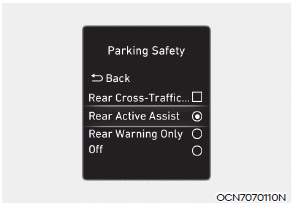
Parking Safety
With the ENGINE START/STOP button in the ON position, select or deselect "Driver Assistance → Parking Safety" from the Settings menu to set whether each feature is used.
-- If "Rear Active Assist" is selected, the feature will warn the driver and assist with braking when a collision with a pedestrian or object is unavoidable.
-- If "Rear Warning Only" is selected, the feature will warn the driver when a collision with a pedestrian or object is near. No braking assistance will be provided.
-- If "Off" is selected, the feature will be turned off.
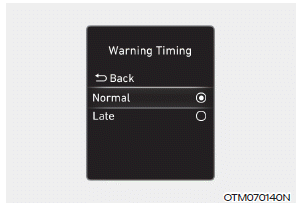
Warning Timing
With the ENGINE START/STOP button in the ON position, select "Driver Assistance → Warning Timing" in the Settings menu to change the initial activation timing of the Rear Cross-Traffic Collision-Avoidance Assist warning.
When the vehicle is first delivered, the Warning Timing is set to "Normal". If you change the warning timing, the warning timing of other driver assistance systems may change.
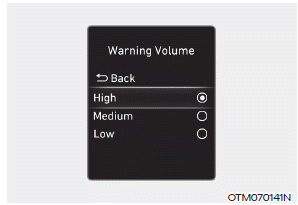
Warning Volume
With the ENGINE START/STOP button in the ON position, select "Driver Assistance → Warning Volume" in the Settings menu to change the Warning Volume to "High", "Medium", "Low", or "Off" for the Rear Cross-Traffic Collision-Avoidance Assist system.
However, when the warning volume is set to Off, the steering wheel vibration function will activate if it was turned off.
If you change the Warning Volume, the warning volume of other Driver Assistance systems may change.
Test yourself
A quick Hyundai Elantra CN7 quiz: every answer comes with an explanation and a link to the manual page.