System Operation
To Set the Speed Limit
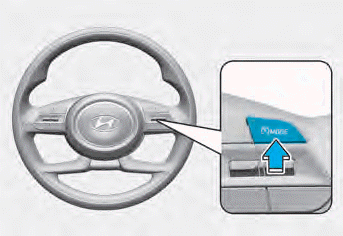
1. Press and hold the Driving Assist button ( ) at the desired speed. The Manual Speed Limit Assist indicator (
 ) indicator will illuminate in the instrument cluster.
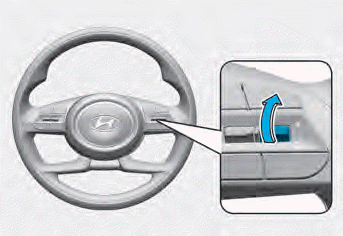
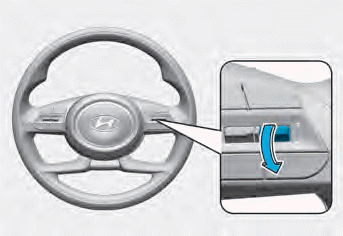
2. Press the + (up) or - (down) switch and release it at the desired speed.
Press and hold the + (up) switch or - (down) switch. The speed will increase or decrease to the nearest multiple of ten first (multiples of five in mph), and then increase or decrease by 10 km/h.
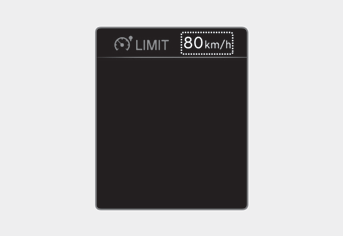
3. The set speed limit will be displayed on the cluster.
If you want to pass through the preset speed limit, press the accelerator pedal beyond the pressure point to activate the kickdown mechanism.
The set speed limit will flash and a warning chime will sound until you bring the vehicle speed back within the permitted speed.
Information
- When the accelerator pedal is not depressed beyond the pressure point, the vehicle speed will be maintained at the speed limit.
- A clicking sound may be heard from the kickdown mechanism when the accelerator pedal is depressed beyond the pressure point.
To Temporarily Suspend System Operation
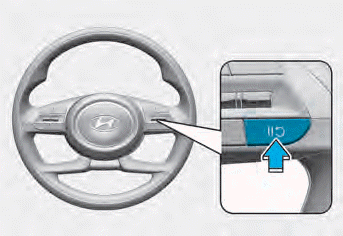
[A] : Type A, [B] : Type B
Press the switch to temporarily suspend the set speed limit. The set speed limit will be canceled, but the Manual Speed Limit Assist indicator () will remain on.
To Resume System Operation
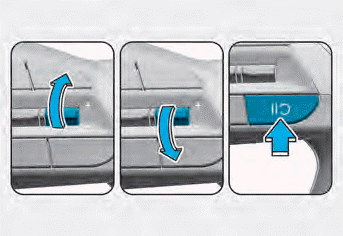
To resume Manual Speed Limit Assist after the system has been suspended, press the +, -, switch.
If you press the + switch up or the - switch down, the vehicle speed will be set to the current speed shown in the instrument cluster.
If you press theswitch, and the vehicle speed will resume to the set speed.
To Turn Off the System
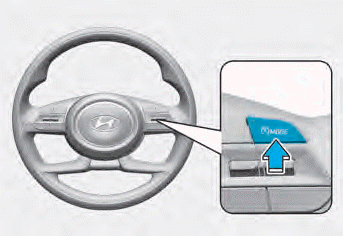
Press the Driving Assist button () to turn off the Manual Speed Limit Assist. The Manual Speed Limiter Assist indicator () indicator will turn off.
Always press the Driving Assist button () to turn off Manual Speed Limit Assist when it is not in use.
WARNING
Observe the following precautions when using Manual Speed Limit Assist:
- Always set the vehicle speed to the speed limits in your country.
- Turn off Manual Speed Limit Assist when the system is not in use to avoid unintended speed setting. Make sure the Manual Speed Limit Assist indicator ( ) is off.
- Manual Speed Limit Assist does not replace proper and safe driving. It is always the driver's responsibility to drive safely and to always be aware of unexpected and sudden situations. Pay attention to road conditions at all times.
Test yourself
A quick Hyundai Elantra CN7 quiz: every answer comes with an explanation and a link to the manual page.