Body Electrical System
Audio system
In this manual: Body Electrical System
10steps
~60min
3/5difficulty
Done 0 of 10
Components and Component Location
Components
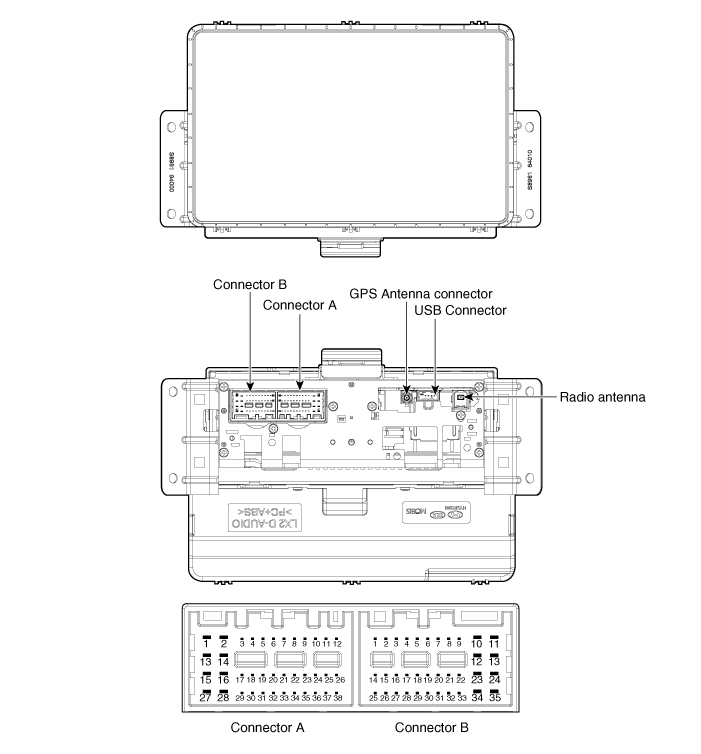
| No | Connector A | Connector B |
| 1 | Rear Left Speaker (+) | - |
| 2 | Rear Left Speaker (-) | Microphone (+) |
| 3 | - | - |
| 4 | - | - |
| 5 | - | Antenna Power |
| 6 | Camera _ Power | Illumination (+) |
| 7 | Camera _ Video | MM CAN High |
| 8 | - | - |
| 9 | - | - |
| 10 | - | Battery (+) |
| 11 | Trouble Code | Battery (+) |
| 12 | Steering Wheel Remote Control | Ground |
| 13 | Front Left Speaker (+) | Ground |
| 14 | Front Left Speaker (-) | - |
| 15 | Front Right Speaker (-) | Microphone (+) |
| 16 | Front Right Speaker (+) | - |
| 17 | - | - |
| 18 | - | - |
| 19 | - | Illumination (-) |
| 20 | Camera Power _ Ground | MM CAN Low |
| 21 | Camera Video _ Ground | - |
| 22 | - | ACC |
| 23 | - | - |
| 24 | - | - |
| 25 | - | - |
| 26 | Steering wheel ground | - |
| 27 | Rear Right Speaker (-) | - |
| 28 | Rear Right Speaker (+) | - |
| 29 | - | - |
| 30 | - | - |
| 31 | - | - |
| 32 | - | Ignition |
| 33 | Camera Screen _ Ground | - |
| 34 | - | - |
| 35 | - | - |
| 36 | - | |
| 37 | - | |
| 38 | - | |
| 39 | Speed |
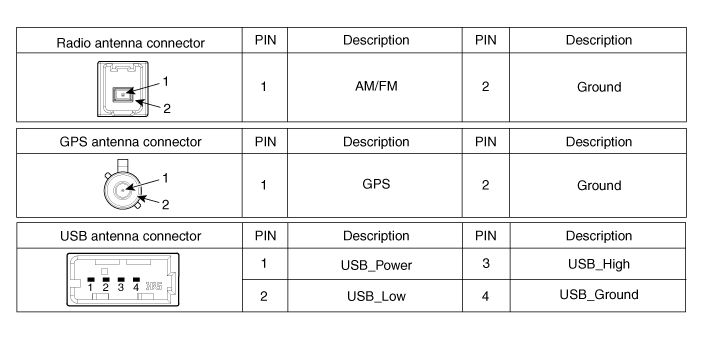
Repair Procedures
Removal
- Disconnect the negative (-) battery terminal.
- Remove the center panel. (Refer to Body - "Center Panel")
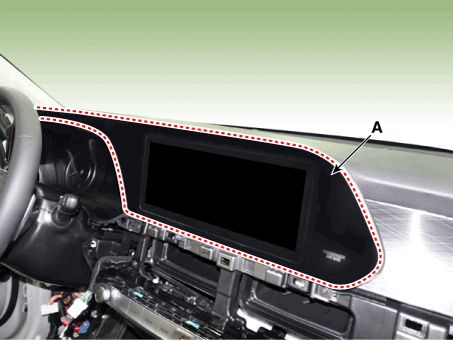
- Using a flat-blade screwdriver, remove the monitor cover (A).
- Loosen the mounting screws and remove the audio system (A).
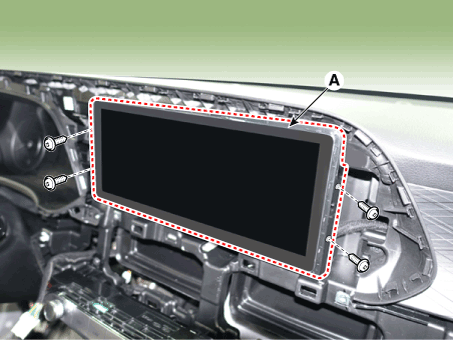
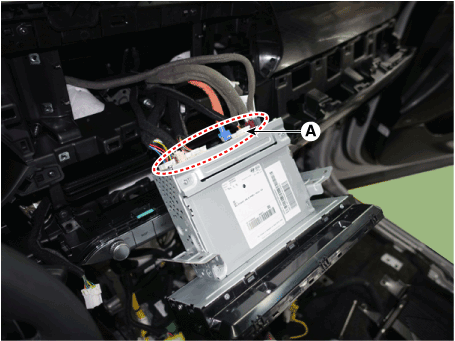
- Remove the head unit by disconnecting the connectors (A).
Installation
- Connect the audio unit connectors.
- Install the head unit.
- Install the monitor cover.
- Install the center fascia panel.
- Connect the negative (-) battery terminal.

- Make sure the connector is properly connected.
- Check the audio system.
Test yourself
A quick Hyundai Palisade quiz: every answer comes with an explanation and a link to the manual page.
Was this page helpful?