Body Electrical System
Projection Display
In this manual: Body Electrical System
10steps
~60min
3/5difficulty
Done 0 of 10
Components and Component Location
Component
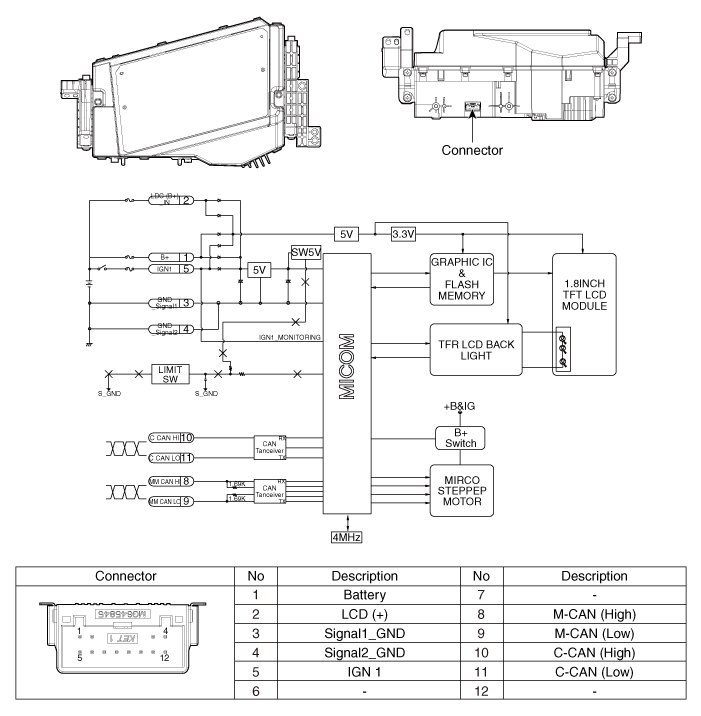
Repair Procedures
Removal
- Disconnect the negative (-) battery terminal.
- Remove the instrument cluster. (Refer to Gauges and Meters - "Instrument Panel")
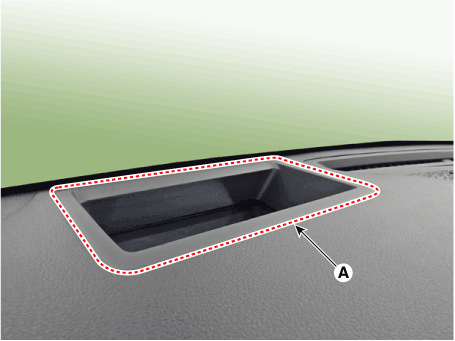
- Remove the projection display upper cover (A).
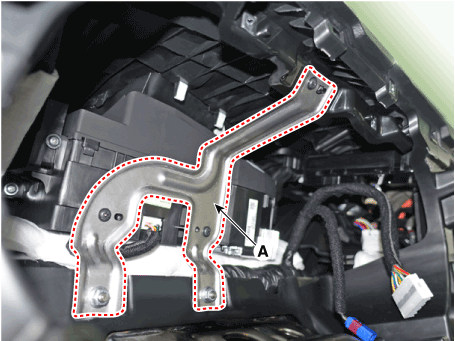
- Loosen the nuts and screws, then remove the projection display bracket (A).
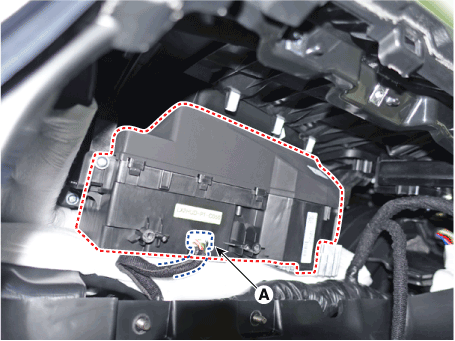
- Loosen the mounting screws, then remove the projection display unit (A).
Installation
- Install the head-up display.
- Install the instrument cluster.
- Connect the negative (-) battery terminal.
Inspection
If part of the image on the projection display is distorted or is not at the driver's eye level, use the global diagnostic system (diagnostic tool) to perform calibration.- When Calibration is Necessary
- When replacing the head-up display.
- If the image is distorted after windshield replacement (double image is eliminated after the film is attached to the inside of the glass).
- When removing/installing or replacing the main cluster panel mounted on the HUD.
- When the head-up display video unit installation position is not at the driver's eye level and focus is inconsistent.
- Calibration Items
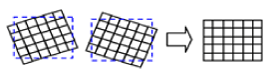
No Video Calibration Functions Calibration Cases 1 Rotation: calibrate in a semicircle / clockwise direction based on the center
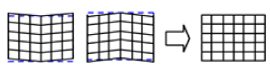
2 Smile: Calibrates vertically at the center.
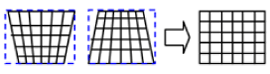
3 Tilt (up/down): Calibrates according to the up/down tilt.
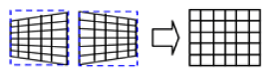
4 Tilt (left/right): Calibrates according to the left/right tilt.
5 Parallel Compensation
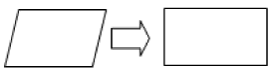
6 Moving the mark up/down: Compensate according to the eye height.

7 Initialization: Returns to the state before video compensation. 8 Video 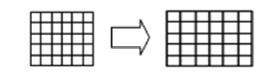
9 Height 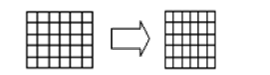
Troubleshooting
Troubleshooting
| Category | Symptom Errors | Inspection Item | Detailed Inspection Item | Related Parts |
| Lighting |
|
|
|
Light sensor CGW Cluster |
| Adjustment Function |
|
|
|
HUD Cluster |
Test yourself
A quick Hyundai Palisade quiz: every answer comes with an explanation and a link to the manual page.
Was this page helpful?