Engine Start/Stop Button
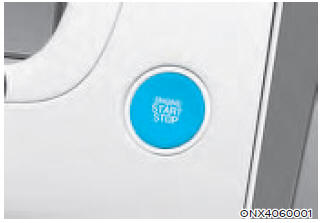
Whenever the driver's door is opened, the Engine Start/Stop button illuminates and goes off 30 seconds after the door is closed.
WARNING
To turn off the vehicle in an emergency: Press and hold the Engine Start/Stop button for more than two seconds, OR quickly press and release the Engine Start/Stop button three times (within three seconds).
If the vehicle is still moving, you can restart the vehicle without depressing the brake pedal by pressing the Engine Start/Stop button with the shift lever in the N (Neutral) position.
WARNING
- NEVER press the Engine Start/Stop button while the vehicle is moving, except in an emergency. This will cause the engine to stop and power steering and brake assist to be lost. This may result in loss of steering control and braking function, which may lead to an accident.
- Before leaving the driver's seat, always make sure the shift lever is in the P (Park) position, apply the parking brake, press the Engine Start/Stop button to the OFF position, and take the Smart Key with you. Unexpected vehicle movement may occur if these precautions are not followed.
- NEVER reach through the steering wheel to operate the Engine Start/Stop button or any other control while the vehicle is moving. The presence of your hand or arm in this area may result in loss of vehicle control and an accident.
Engine Start/Stop Button Positions

Starting the Engine
WARNING
- Always wear appropriate footwear when operating your vehicle. Inappropriate footwear, such as high heels, ski boots, sandals, slippers, etc., may interfere with your ability to operate the brake and accelerator pedals.
- Do not start the vehicle with the accelerator pedal depressed.
- Keep your foot on the brake when shifting from P (Park). Make sure the engine is idling before shifting. The vehicle may move suddenly when the brake pedal is released if the engine speed is high.
Information
- The engine can be started by pressing the Engine Start/Stop button only when the Smart Key is inside the vehicle.
- Even if the Smart Key is inside the vehicle, the engine may not start when the Smart Key is far from the driver.
- When the Engine Start/Stop button is in the ACC or ON position, if any door is open, the system checks for the Smart Key. If the Smart Key is not inside the vehicle, the
 indicator will start flashing and the "Key Not Detected" warning will appear on the cluster. When all doors are closed, the warning chime will also sound for approximately 5 seconds. Keep the Smart Key inside the vehicle.
1. Always carry the Smart Key with you.
2. Make sure the parking brake is applied.
3. Make sure the shift lever is in P (Park).
4. Depress the brake pedal.
5. Press the Engine Start/Stop button.
Information
- Do not wait for the engine to warm up while the vehicle is stationary. Start driving at moderate engine speed. (Avoid sudden acceleration while the engine is still cold.)
- Always start the vehicle with your foot on the brake pedal. Do not depress the accelerator when starting the vehicle. Do not run the engine during warm-up.
NOTICE
To avoid damage to the vehicle:
- If the engine stalls while driving, do not attempt to shift into P (Park). If traffic and road conditions permit, you may shift into N (Neutral) while the vehicle is moving and press the Engine Start/Stop button to attempt to restart the engine.
- Do not push or tow the vehicle to start the engine.
NOTICE
To avoid damage to the vehicle:
Do not press and hold the Engine Start/Stop button for more than 10 seconds, except when the stop lamp fuse has blown.
When the stop lamp fuse has blown, you cannot start the engine normally. Replace the fuse with a new one. If you are unable to replace the fuse, you can start the engine by pressing and holding the Engine Start/Stop button for 10 seconds with the Engine Start/Stop button in the ACC position.
For your safety, always depress the brake pedal before starting the vehicle.

Information
If the Smart Key battery is discharged or the Smart Key is malfunctioning, you can start the vehicle by pressing the Engine Start/Stop button with the Smart Key in the direction shown in the illustration above.
Turning Off the Engine
1. Stop the vehicle and fully depress the brake pedal.
2. Make sure the shift lever/button is in the P (Park) position.
3. Press the Engine Start/Stop button to the OFF position and apply the parking brake.
Test yourself
A quick Hyundai Tucson quiz: every answer comes with an explanation and a link to the manual page.