Temperature Control
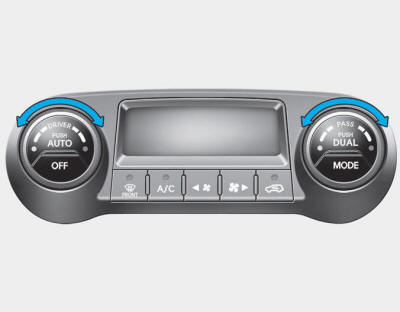
Use the temperature control knob to set the desired temperature in the cabin.
To increase the temperature, turn the knob clockwise. To decrease the temperature, turn the knob counterclockwise.
To increase the temperature to the maximum, turn the knob clockwise until (HI) appears on the climate control display.
To decrease the temperature to the minimum, turn the knob counterclockwise until (LO) appears on the climate control display.
Each turn of the knob will increase or decrease the temperature by 1°F/0.5 °C. When the minimum temperature is set, the air conditioner will operate continuously.
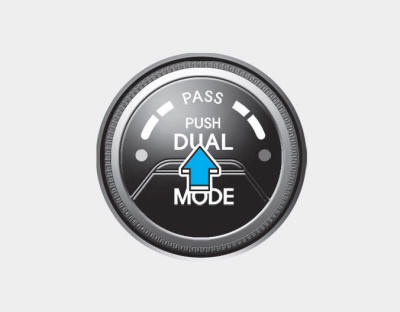
Independent Temperature Control for Driver and Passenger Sides
1. Press the DUAL button to control the driver and passenger temperatures independently. In addition, if the passenger temperature control switch is used, it will also automatically switch to DUAL mode.
2. Use the left temperature knob to adjust the driver side temperature. Use the right temperature knob to adjust the passenger side temperature.
When the driver side temperature is set to the highest (HI) or lowest (LO) temperature, DUAL mode is deactivated for maximum heating or cooling.
Same Temperature Control for Driver and Passenger Sides
1. Press the DUAL button again to turn off DUAL mode. The passenger side temperature will be set to the same temperature as the driver side.
2. Turn on the driver side temperature control switch. The driver and passenger side temperatures will be controlled equally.
Temperature Unit Conversion
You can change the temperature unit between Fahrenheit and Celsius as follows:
While holding the OFF button, press and hold the AUTO button for 3 seconds or more.
The display will change from Fahrenheit to Celsius, or from Celsius to Fahrenheit.
If the battery is discharged or disconnected, the temperature display will reset to Fahrenheit.
Test yourself
A quick Hyundai Tucson LM quiz: every answer comes with an explanation and a link to the manual page.