Audio system
Connecting Bluetooth® devices
In this manual: Audio system
~1min read
If there are no connected devices
Select the [PHONE] button on the audio system or the [CALL] button in the steering wheel remote control ➟ List of paired Bluetooth® devices ➟ Select the desired Bluetooth® device from the list ➟ Connect Bluetooth®.
If there are connected devices
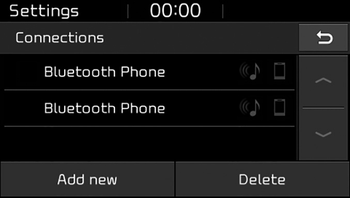
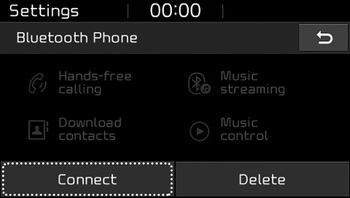
Select the [PHONE] button on the audio system ➟ Select [Settings] ➟ Select [Connections] ➟ Select Bluetooth® device to connect ➟ Select [Connect] ➟ Connect Bluetooth®.
✽ NOTICE
- Only one Bluetooth® device can be connected at a time.
- When a Bluetooth® device is connected, other devices cannot be paired.
Was this page helpful?