LCD display messages (Kia Niro EV)
* For EV warning messages, refer to "LCD display messages"
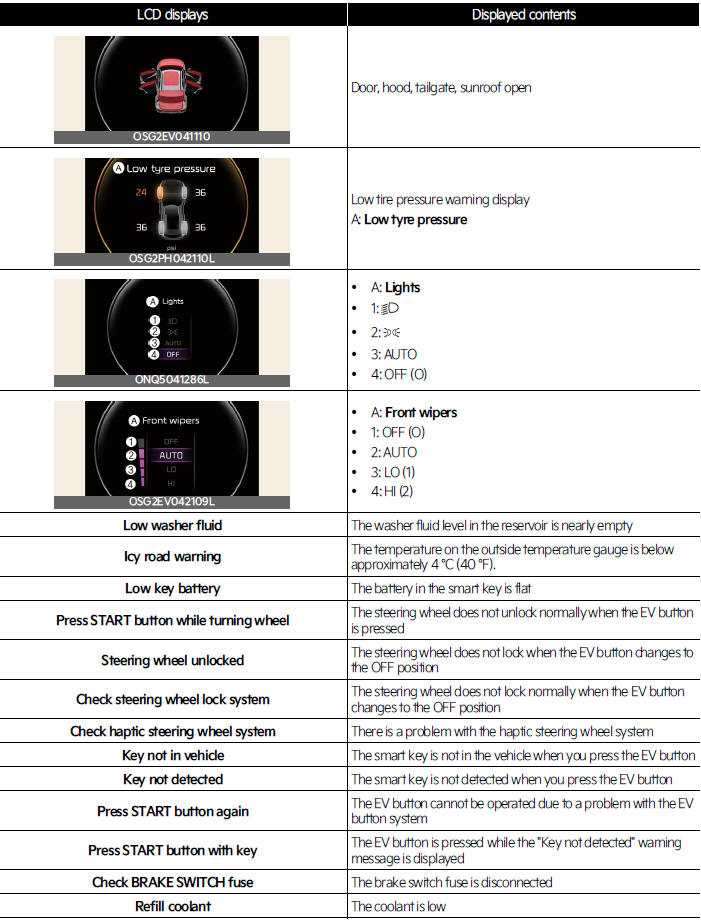
LCD displays / Displayed contents
 Door, hood, tailgate, sunroof open
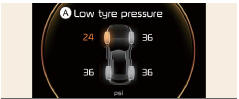 Low tire pressure warning display
A: Low tyre pressure
 A: Lights
- 1:

- 2:

- 3: AUTO
- 4: OFF (O)
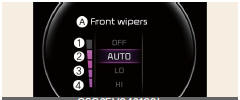 A: Front wipers
- 1: OFF (O)
- 2: AUTO
- 3: LO (1)
- 4: HI (2)
Low washer fluid/ The washer fluid level in the reservoir is nearly empty
Icy road warning/ The temperature on the outside temperature gauge is below approximately 4 ºC (40 ºF).
Low key battery/ The battery in the smart key is flat
Press START button while turning wheel/ The steering wheel does not unlock normally when the EV button is pressed
Steering wheel unlocked/ The steering wheel does not lock when the EV button changes to the OFF position
Check steering wheel lock system/ The steering wheel does not lock normally when the EV button changes to the OFF position
Check haptic steering wheel system/ There is a problem with the haptic steering wheel system
Key not in vehicle/ The smart key is not in the vehicle when you press the EV button
Key not detected / The smart key is not detected when you press the EV button
Press START button again/ The EV button cannot be operated due to a problem with the EV button system
Press START button with key/ The EV button is pressed while the "Key not detected" warning message is displayed
Check BRAKE SWITCH fuse/ The brake switch fuse is disconnected
Refill coolant/ The coolant is low
INFORMATION
- If there is no problem with the operation and the messages above are constantly displayed, have your vehicle inspected by a professional workshop.
Kia recommends to contact an authorized Kia dealer/service partner.
- Press START button again
- You could start the vehicle by pressing the EV button once more.
- If the warning message is displayed each time you press the EV button, have the vehicle inspected by a professional workshop. Kia recommends visiting an authorized Kia dealer/service partner.
- Check BRAKE SWITCH fuse
- You need to replace the fuse with a new one before starting the vehicle.
- If that is not possible, you can start the vehicle by pressing the EV button for 10 seconds in the ACC position.
NOTICE
- Some driving information stored in the trip computer resets if the battery is disconnected.
- If any of the following conditions occurs, the mileage and days may be incorrect.
- The battery cable is disconnected.
- The battery is discharged.
- If sunroof open warning is displayed in the cluster, the Driving Information message may not be displayed.
- To set the charging time and/or climate time, refer to the manual provided in the infotainment system and the quick reference guide.
- If the icy road warning appears while driving, you should drive more attentively and safely refraining from overspeeding, rapid acceleration, sudden braking or sharp turning, etc.