Audio system
Starting/ending voice recognition, and settings
In this manual: Audio system
~2min read
Starting voice recognition
Press the [VOICE] button on the steering wheel remote control to start voice recognition and see the voice recognition screen.
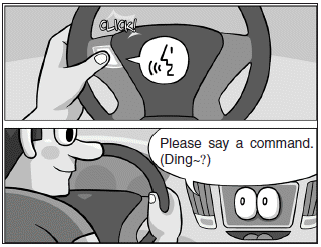
Ending voice recognition
- In voice recognition mode, say the command ‘Exit’ to end voice recognition.
- Press the [Exit] on the bottom left corner of the screen to end voice recognition.
- Press and hold the [VOICE] button on the steering wheel remote control to end voice recognition.

Quick-starting voice recognition (manual control)
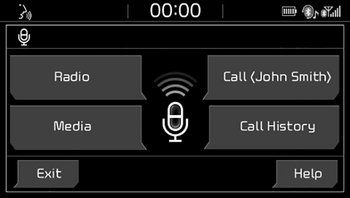
- Normally, to start voice recognition, you must wait for the voice prompt before saying a command. This involves some waiting time. To run the function immediately to select the commands displayed on the screen.
- This feature is useful if the voice prompt takes too long or the system fails to properly recognize your voice commands.
Skip voice prompt
- While the voice prompt is playing, press the [VOICE] button on the steering wheel remote control to skip the voice prompt and place the system in standby for your voice commands.
- This feature is useful if the voice prompt takes too long or you already know the voice command for the desired function.

Extending voice recognition standby time
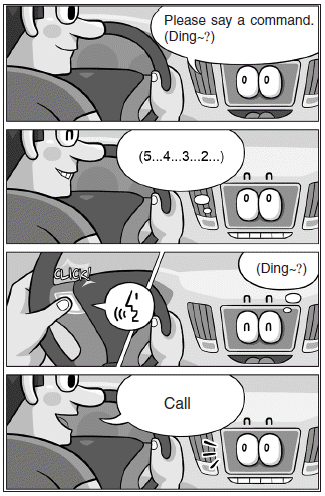
- After voice recognition is started and the voice prompt and beep sound (‘Ding~’) are played, the system enters standby for user voice commands for five seconds. During this five-second standby, press the button again to play the beep sound (‘Ding~’), and extend voice command standby time by five seconds.
- If you do not say a command for five seconds, you are prompted by voice to repeat your command.
Adjusting voice prompt volume
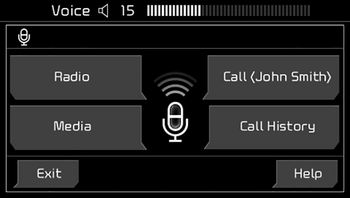
• While voice recognition is running, turn the VOL knob for the audio to adjust voice prompt volume.
✽ NOTICE
The minimum voice prompt volume is 1.
Was this page helpful?