Inputting letters and numbers/list screen operation
When searching for an address or name, or entering data, letters and num- bers can be input via the screen.
• Keyboard layout can be changed.
TO INPUT LETTERS AND NUMBERS
1 Touch “A-Z” to display the alphabet keys.
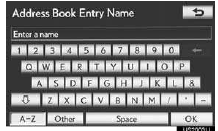
2 Touch the keys directly to enter letters or numbers.

 : Touch to erase one character. Touch and hold to continue erasing characters.
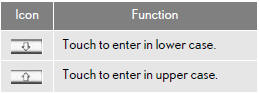
• On certain letter entry screens, letters can be entered in upper or lower case.
TO INPUT SYMBOLS
1 Touch “Other” to display symbol keys.

2 Touch the symbol keys directly to enter symbols.
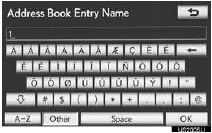
: Touch to erase one symbol. Touch and hold to continue erasing symbols.
TO DISPLAY THE LIST
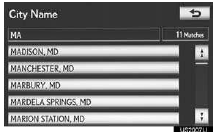
1 Touch “OK” to search for an address or a name.
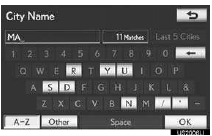
• Matching items from the database are listed even if the entered address or name is incomplete.
• The list will be displayed automatically if the maximum number of characters is entered or the number of matching items is 5 or less.
INFORMATION
●The number of matching items is shown on the right side of the screen. If the num- ber of matching items is more than 999, the system displays “***” on the screen.
LIST SCREEN OPERATION
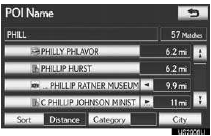
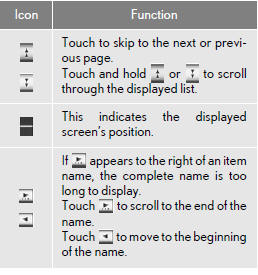
When a list is displayed, use the appro- priate screen button to scroll through the list.
When a list is displayed, use the appro- priate screen button to scroll through the list.
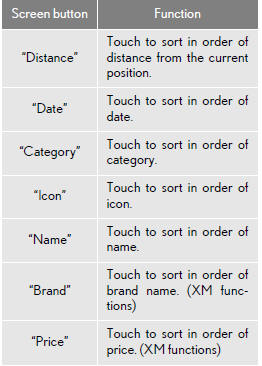
SORTING
The order of a list displayed on the screen can be rearranged.
1 Touch “Sort”.
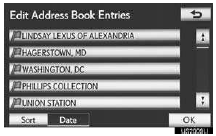
2 Touch the desired sorting criteria.

Test yourself
A quick Lexus LX quiz: every answer comes with an explanation and a link to the manual page.