Operating the Compact Disc (CD) Player
NOTE
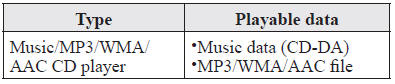
If a disc has both music data (CD-DA) and MP3/WMA/AAC files, playback of the two or three file types differs depending on how the disc was recorded.
Inserting the CD
Insert the CD into the slot, label-side up. The auto-loading mechanism will set the CD and begin play.
NOTE
There will be a short lapse before play begins while the player reads the digital signals on the CD.
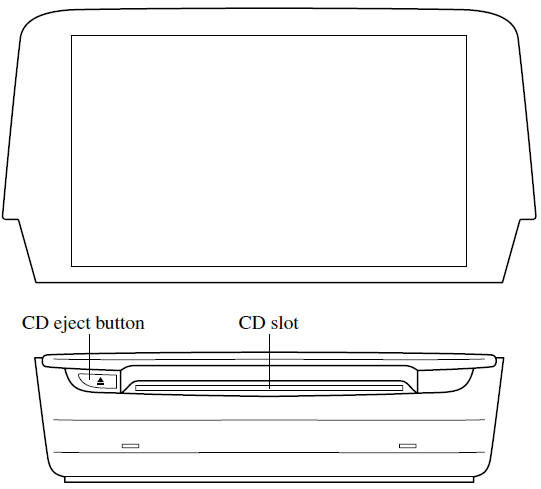
Ejecting the CDPress the CD eject button ( 
) to eject the CD.
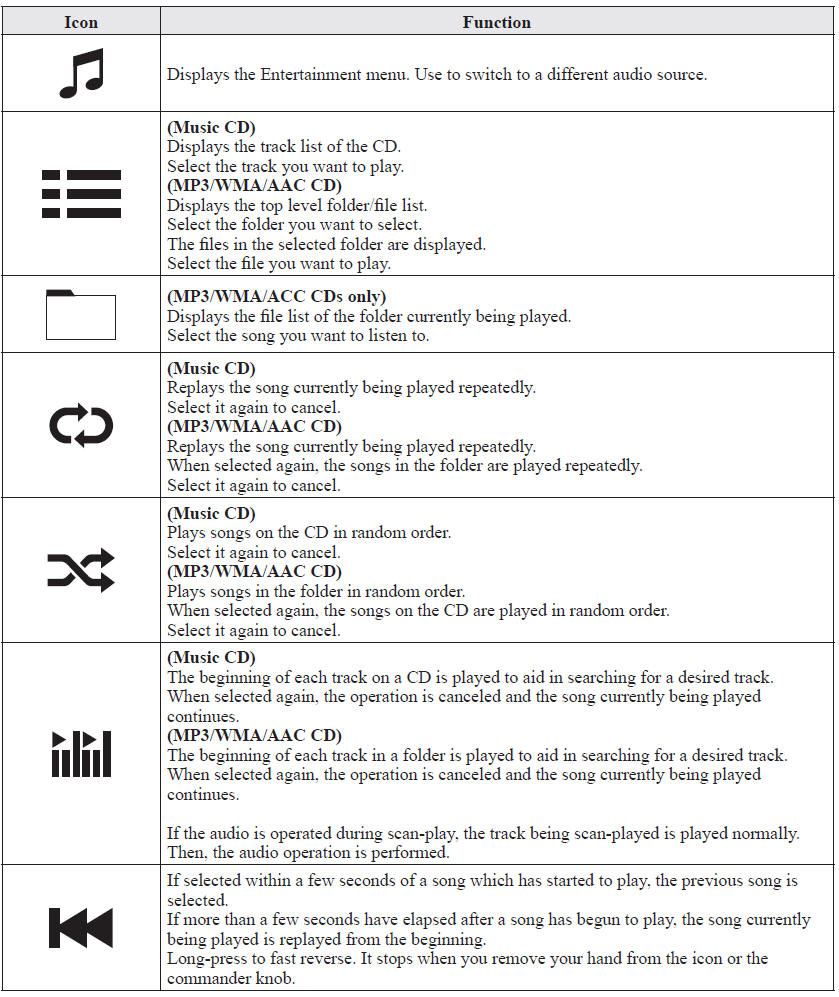
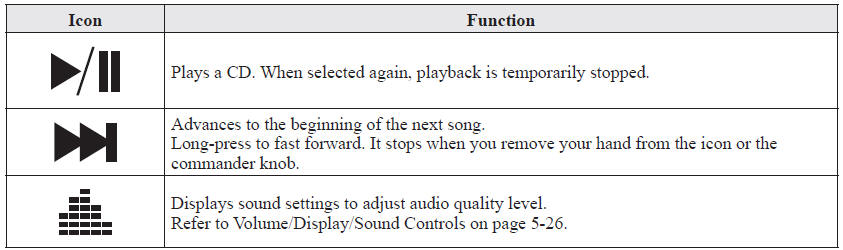
Select the  icon on the home
screen with a CD inserted and display the Entertainment screen. When  is selected, the following icons
are indicated in the lower part of the center display.
Example of use (When searching for a song from the top level of an MP3/ WMA/AAC CD)
1. Select the  icon to display
the folder/file list at the top level.
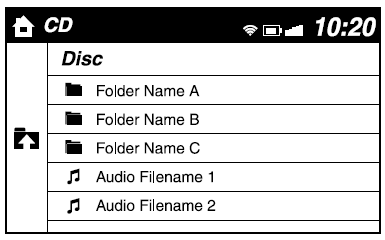
2. When the folder is selected, folders/file lists in the folder are displayed.
3. Select the desired song.
NOTE
- Select
 to move to a
folder one level higher. - The appearance of the repeat and shuffle icons changes depending on the type of operation in which the function is used.
Test yourself
A quick Mazda 6 quiz: every answer comes with an explanation and a link to the manual page.