Displaying the command list
If you are controlling the system by voice commands for the first time or do not know the appropriate voice command, perform the following procedure for displaying the voice command list (available only in Alternate Command Mode).
Press the  switch, listen for the tone and say, “Help”. The system will respond by displaying the command list main menu.
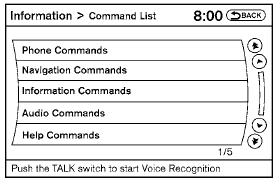
Only manual controls such as the touchscreen can navigate the command list menu.
As an alternative to the voice command “Help”, you may access the command list using the following steps:
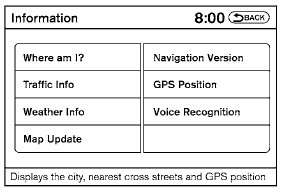
1. Press the INFO button on the instrument panel.
2. Select the “Voice Recognition” key.
NOTE:
You can skip steps 1 and 2 if you say “Help”.
3. Select the “Command List” key.
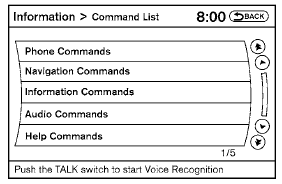
4. Select a category. The command list for the category selected is shown.
5. If necessary, scroll the screen to view the entire list.
6. Select the “Back” key to return to the previous screen.
Test yourself
A quick Nissan Altima quiz: every answer comes with an explanation and a link to the manual page.