Instruments and controls
Clock
In this manual: Instruments and controls
~1min read
Date and time are shown in the Info-Display.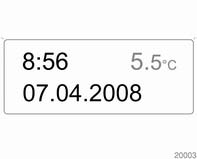
Set date and time in
Triple-Info-Display The Infotainment system must be off. Activate setting mode by holding the button depressed for approx.
 in the
display. Some transmitters do not send a correct time signal. In such cases, it is recommended to switch off automatic time synchronisation.
Graphic-Info-Display,
Color-Info-Display.
Set date and time in
Triple-Info-Display The Infotainment system must be off. Activate setting mode by holding the
button depressed for approx.
2 seconds. The flashing value is adjusted using the  button.
The 
button is used to switch to the next mode and to exit setting mode.
in the display. Some transmitters do not send a correct time signal. In such cases, it is recommended to switch off automatic time synchronisation.
Activate setting mode and set it to year setting. Hold the button
depressed for approx. 3 seconds until flashes in the display
and "RDS
TIME" appears. The function is activated (RDS TIME 1) or deactivated (RDS TIME 0) with the button. Exit setting mode
using
the button.
Test yourself
A quick Opel Corsa quiz: every answer comes with an explanation and a link to the manual page.
Was this page helpful?