Engine
Drive mode selector inspection
In this manual: Engine
4steps
~24min
2/5difficulty
Done 0 of 4
Inspect the drive mode selector in the following procedures:
- set up the sds tool. (Refer to the sds operation manual for further details.)
- Turn the ignition switch on.
- Click “data monitor”.
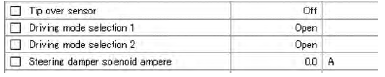
- Make sure each of “driving mode selection” on the monitor is indicated “open”.
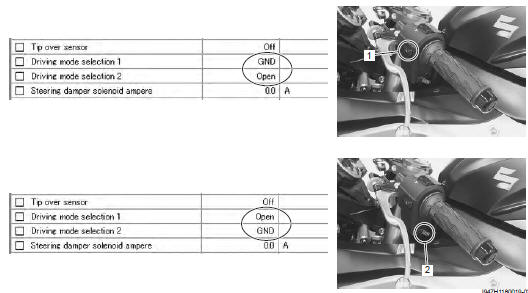
- Push each of drive mode selector (1) and (2). At this time, if the indication is changed to “gnd”, the function is normal.
Test yourself
A quick Suzuki GSX-R 1000 quiz: every answer comes with an explanation and a link to the manual page.
Was this page helpful?