Audio / Visual / Telematics
Manual(sos)switch
In this manual: Audio / Visual / Telematics
~1min read
Components COMPONENTS ILLUSTRATION 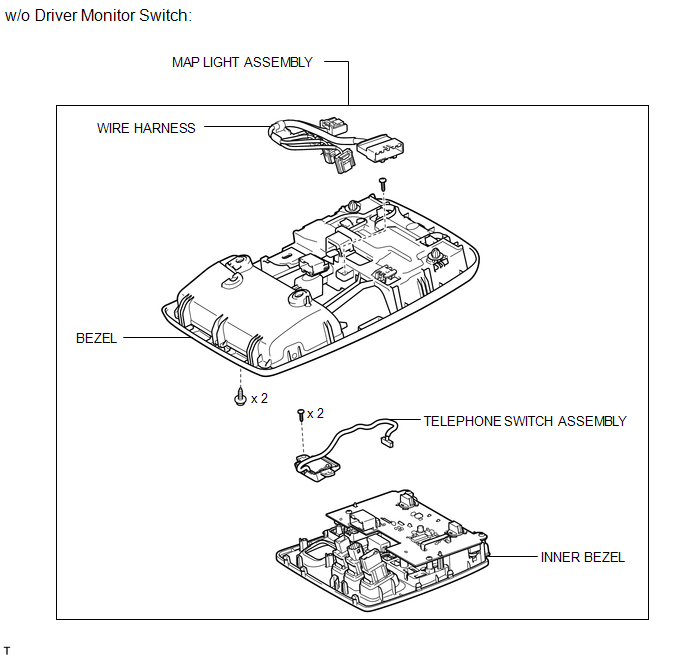
ILLUSTRATION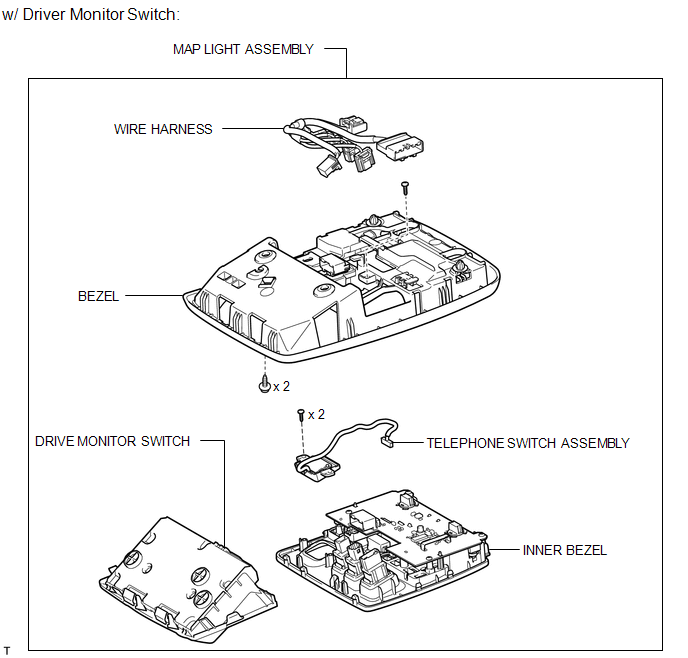
Installation INSTALLATION PROCEDURE
Removal REMOVAL PROCEDURE
ILLUSTRATION
Installation INSTALLATION PROCEDURE
1. INSTALL TELEPHONE SWITCH ASSEMBLY
(a) Install the telephone switch with the 2 screws.
(b) Connect the connector.
(c) Attach the 8 claws to install the inner bezel.
(d) Install the screw.
(e) Connect the 6 connectors.
2. INSTALL MAP LIGHT ASSEMBLY
3. INSTALL DRIVE MONITOR SWITCH
Removal REMOVAL PROCEDURE
1. REMOVE DRIVE MONITOR SWITCH
2. REMOVE MAP LIGHT ASSEMBLY
3. REMOVE TELEPHONE SWITCH ASSEMBLY
(a) Disconnect the 6 connectors. |
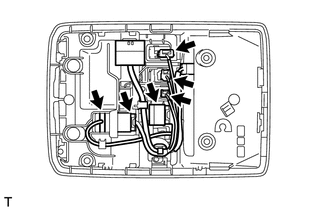 |
(b) Remove the screw. |
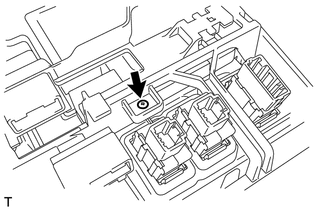 |
(c) Detach the 8 claws and remove the inner bezel. |
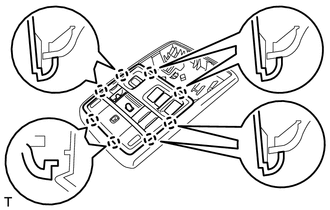 |
(d) Remove the 2 screws and telephone switch. |
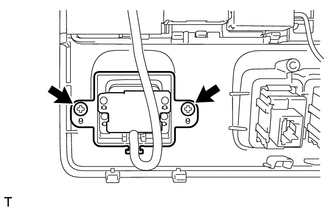 |
Test yourself
A quick Toyota 4Runner quiz: every answer comes with an explanation and a link to the manual page.
Was this page helpful?