Removal
REMOVAL
PRECAUTION / NOTICE / HINT
The procedures required (adjustment, calibration, initialization or registration) that must be performed after parts have been removed and installed or replaced during removal/installation of the antenna cable assembly are shown below.
Procedures Required After Replacement / Removal / Installation of PartsReplaced Part or Performed Procedure | Required Procedure | Effect/Inoperative Function When Required Procedure Is Not Performed | Link |
|---|---|---|---|
Disconnect the cable from the negative (-) battery terminal. |
Initialize Back Door Lock |
Door Lock Control System |
 |
Memorize Steering Angle Neutral Point |
Lane Departure Alert System (with Steering Control) |
|
|
Pre-Collision System |
CAUTION:
Some service operations affect the SRS airbag system. Before starting any service operation, carefully read the precautions for the SRS airbag system.
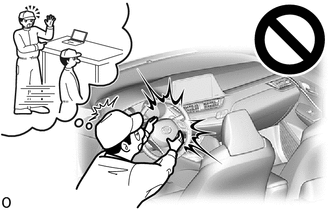
Click here
PROCEDURE
1. REMOVE INSTRUMENT PANEL SAFETY PAD
Click here
2. REMOVE NO. 3 HEATER DAMPER CONTROL CABLE ASSEMBLY
Click here
3. REMOVE ANTENNA CABLE ASSEMBLY
(a) Release the clips to remove the antenna cable assembly.
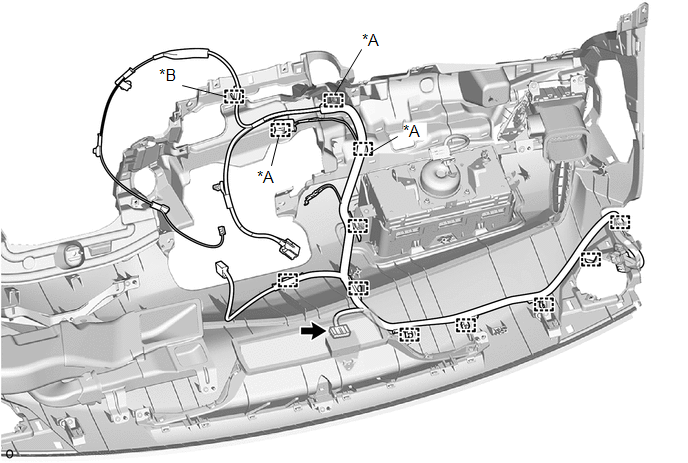
*A |
with USB audio system |
*B |
with manual (SOS) switch |
(b) with manual (SOS) switch:
(1) Disconnect the connector.
4. REMOVE ROOF HEADLINING
Click here
5. REMOVE NO. 2 ANTENNA CABLE ASSEMBLY
(a) Type A:
(1) Remove each tape from the roof headlining.
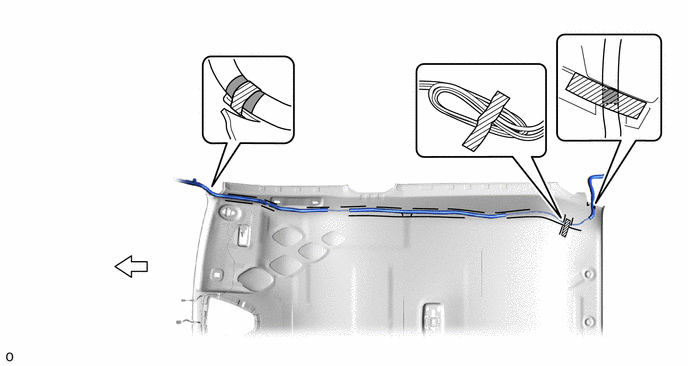
 |
Tape |
 |
Front |
(2) Remove the No. 2 antenna cable assembly from the roof headlining.
(b) Type B:
(1) Remove each tape from the roof headlining.
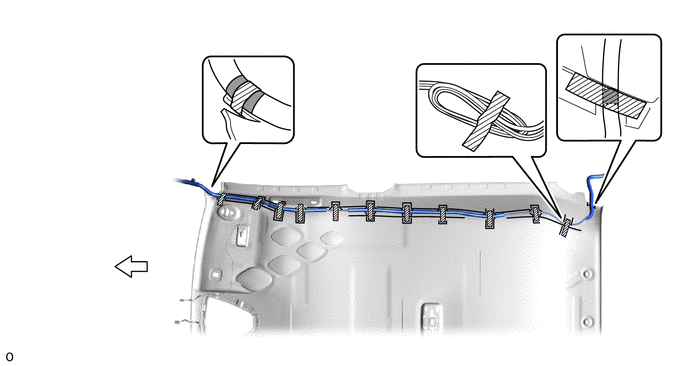
|
Tape |
|
Front |
(2) Remove the No. 2 antenna cable assembly from the roof headlining.
6. REMOVE NO. 3 ANTENNA CABLE ASSEMBLY
(a) Disconnect the connector. |
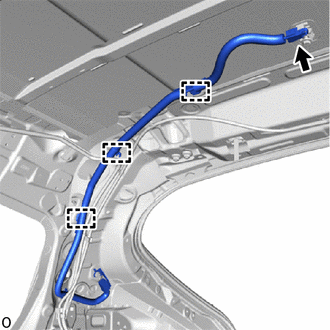 |
(b) Release the clips.
(c) without Manual SOS Switch
(1) Remove the bolt. |
|
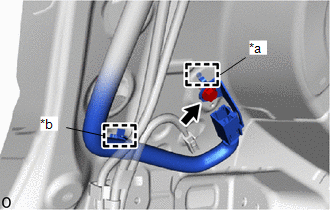
(2) Release the clip and guide to remove the No. 3 antenna cable assembly.
(d) with Manual SOS Switch
(1) Disconnect the floor wire connector. |
|
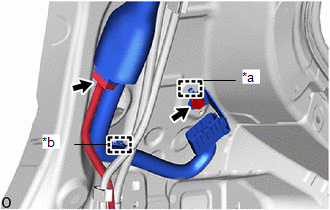
(2) Remove the bolt.
(3) Release the clip and guide to remove the No. 3 antenna cable assembly.