General body repairs, interior
Removing and installing dash panel vents
In this manual: General body repairs, interior
~2min read
Special tools and workshop equipment required |
|
|
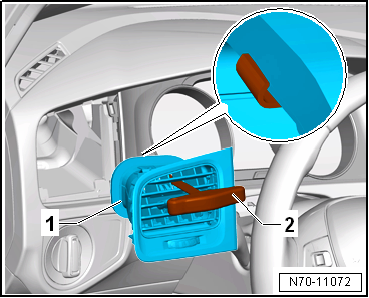
RemovingSide vent Note Removal and installation is described for the side vent on driver side. Follow same instructions for the front passenger side as appropriate.
Note
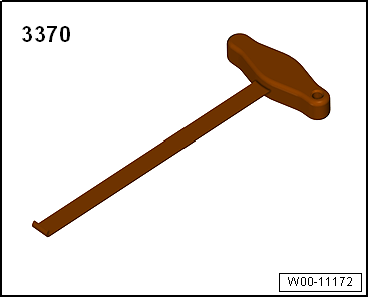
The front-end hook -3370- must be inserted to a depth of 115 mm.
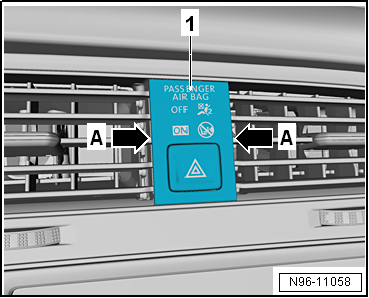
Note Always remove the centre vent together with the trim for the display unit for front information display and operating unit control unit -J685-, as one unit.
|
 |
 Caution The trim for the display unit for front information display and operating unit control unit -J685- cannot be removed individually without becoming damaged.
|
 |
|
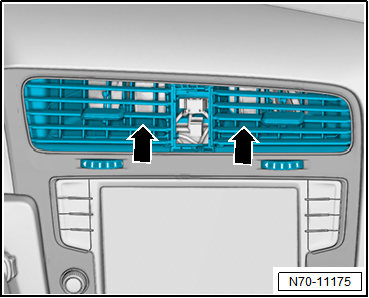 |
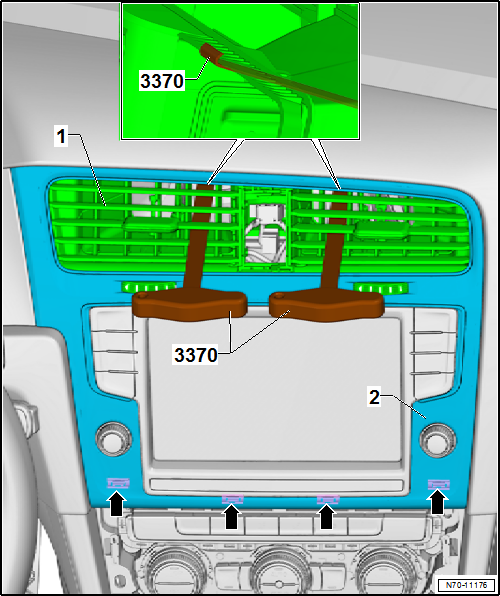
- Engage each of the front-end hooks -3370- at top end into corresponding fresh air duct.
Note
The front-end hooks -3370- must be inserted to a depth of approx. 11 cm.
- Pull centre vent -1- with trim -2- attached out of mounting aperture in dash panel with a firm tug simultaneously on both front-end hooks -3370-.
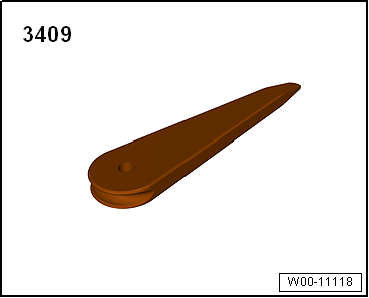
- Carefully unclip trim -2- from mountings in dash panel -arrows- using removal wedge -3409-.
Installing Note
Before installing, check all fasteners for damage and renew if necessary.Installation is carried out in reverse order. |
Test yourself
A quick Volkswagen Golf quiz: every answer comes with an explanation and a link to the manual page.
Was this page helpful?