Telephone Systems
General Information
The telephone system in the Tiguan is available in two versions. As a complete telephone system and a cellular telephone preparation.The telephone system or telephone preparation is only available in conjunction with a radio unit or radio navigation system.
It is possible to retrofit telephones (cell phones) in a vehicle with cellular telephone preparation.On vehicles with telephone preparation, telephone operating electronics control module (interface box) is already installed at the factory.
Only one adapter needed for the telephone baseplate. It depends on which cellular telephone is going to be used.Troubleshooting
Telephone systems are equipped with On Board Diagnostic (OBD) capabilities.Use the Vehicle Diagnostic Tester under "Guided Fault Finding".
Overview - Telephone System, from 05/2013
Note
The telephone system and telephone preparation primarily differ in that the telephone system has a factory-installed telephone. Therefore, the following overview only illustrates the complete telephone system.
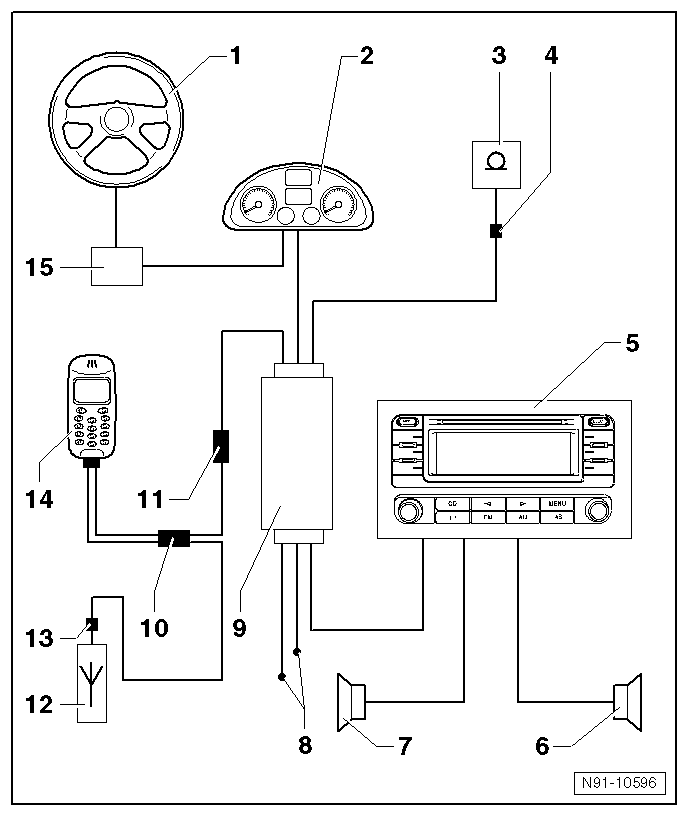
- Multifunction Steering Wheel
- Optional
- For more information regarding the multifunction steering wheel refer to → Chapter "General Information" or → Chapter "General Information".
- Instrument Cluster
- Telephone Microphone -R38-
- For hands-free operation of telephone system.
- Installed in front interior light.
- Removing and installing.
- Microphone Connector
- In front light installation frame.
- Radio
Or Radio/Navigation Display Control Module -J503- (radio navigation system)
- Right Speaker Group
- Left Speaker Group
- Cell Phone Operating Electronics Control Module (Interface Box) Voltage Supply
- Cell Phone Operating Electronics Control Module -J412- (Interface Box)
- Installed below front right seat.
- Removing and installing.
- Connector To The Telephone Baseplate
- Installed in telephone bracket wiring harness behind instrument panel
- Connector To Operating Electronics Control Module
- Radio/Telephone Antenna -R51-
- On rear of roof.
- For more information regarding the different antenna systems.
- Antenna Wiring Connector
- Antenna telephone connector
- Below rear headliner
- Cellular Telephone -R54-
- Telephone baseplate, removing and installing.
- Steering Column Electronic Systems Control Module -J527-
Overview - Telephone System, from 05/2014
Note
- The UHV High and the MDI are housed together (Cell Phone Operating Electronics Control Module -J412-) near the UMI, Universal Media Interface. The Cellular Telephone -R54- is connected via Bluetooth.
- The functions of the UHV High and MDI are combined in one device (Cell Phone Operating Electronics Control Module -J412-).
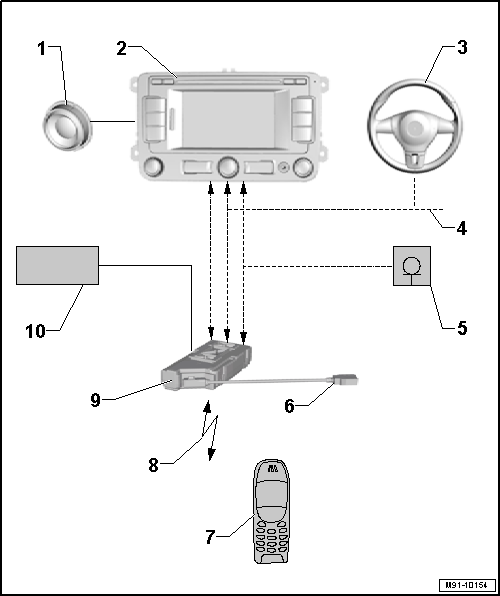
- Speaker System
- Radio/Navigation Display Unit Control Module -J503-
- Multifunction Steering Wheel
- CAN-Bus
- Telephone Microphone -R38-
or Radio/Navigation Display Control Module -J503- (radio navigation system)
- Adapter Cable
- One for each device being connected
- Cellular Telephone -R54-
- Bluetooth-Connection
- Cell Phone Operating Electronics Control Module -J412-, UMI
- 54-Pin Connector -T54-
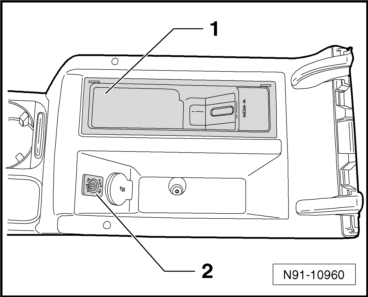
UMI Component Location
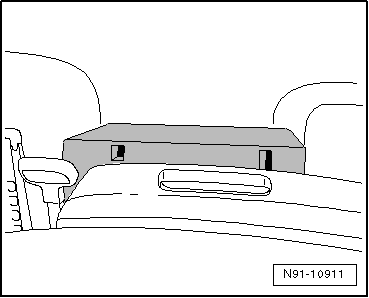
The Cell Phone Operating Electronics Control Module -J412--1- is installed in the center console.
- Cell Phone Operating Electronics Control Module -J412- and External Multimedia Device Interface -R215-, removing.
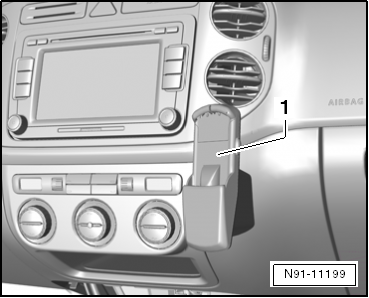
Telephone Baseplate, Removing and Installing
Removing
Telephone Baseplate Installed Location on the Instrument Panel
Note
- To avoid damaging instrument panel, create a template -1- as illustrated.
- Use an overhead slide or similar material.
- Remove the glove compartment.
- Apply the film -1-.
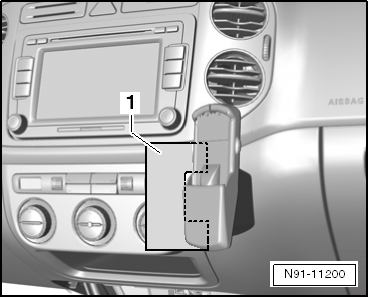
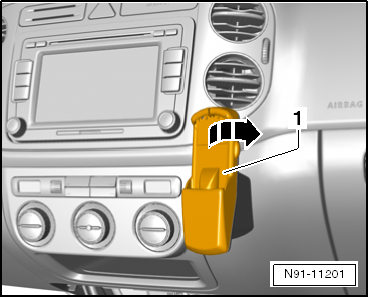
- Turn the baseplate clockwise in direction of -arrow- and loosen it.
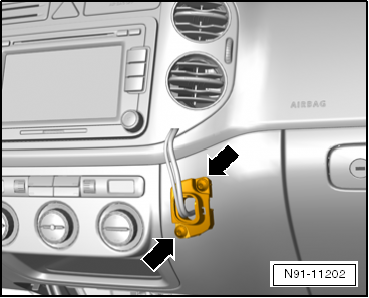
- Remove both TORX bolts -arrows-.
- Disconnect the connector.
Installing
Install in reverse order of removal.
Make sure that wiring harness is connected correctly.
- Connect the connector and install the wiring harness back into the instrument panel.
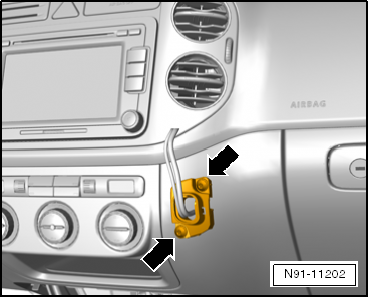
- Install the mount for the cellular telephone mount -arrows-.
- Clip the telephone baseplate to the mount.
Telephone Operating Electronics Control Module,, Removing and Installing, Transmitter/Receiver Unit
Removing
The telephone operating electronics control module is installed under the front right seat.
Do the following before starting the procedure:
- Turn off the ignition and all electric consumers and remove the key.
- Slide passenger's seat into rear end position.
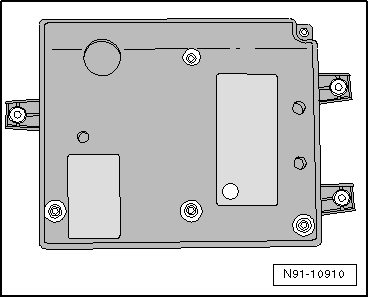
- Unclip cover.
- Disconnect the connector and remove the control module from the bracket.
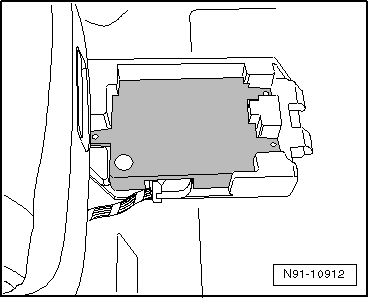
Installing
Install in reverse order of removal.
Telephone Microphone, Removing and Installing
Removing
Microphone for hands-free telephone system is installed in front interior light -arrow-.Do the following before starting the procedure:
- Turn off the ignition and all electric consumers and remove the key.
- Remove the console in the headliner.
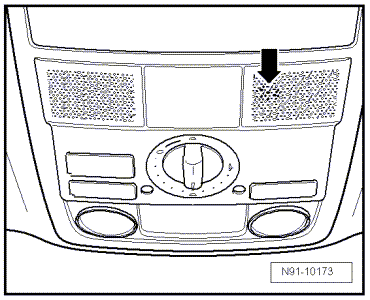
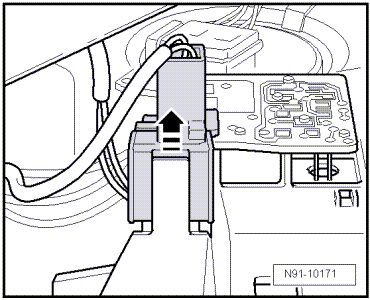
- Slide connector from bracket in interior light in direction of -arrow-.
- Release microphone connector and remove.
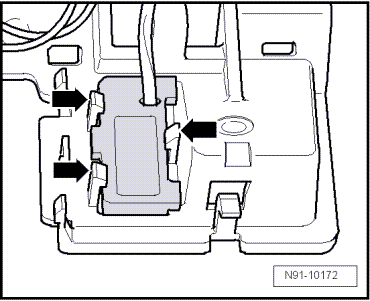
- Press three catches -arrows- and remove microphone.
Installing
Install in reverse order of removal.
Test yourself
A quick Volkswagen Tiguan quiz: every answer comes with an explanation and a link to the manual page.