Climate Control
Setting the Fan Speed for the Rear Seats
In this manual: Climate Control
5steps
~30min
2/5difficulty
Done 0 of 5
(Option/accessory)
The blower can be set to several different automatically controlled speeds for the rear seat.
Setting the Fan Speed for the Rear Seats from the Front Seats
 Tap the symbol in the center of the climate bar to open Climate view in the center display.
- Select the Rear climate tab.
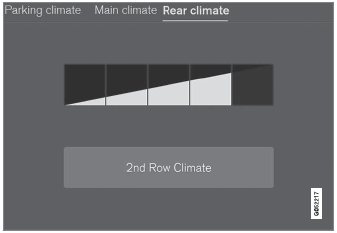
Blower control buttons in the Rear Climate tab in Climate view.
- Tap the desired blower speed, 1-5. The blower speed for the second and third rows of seats* can be switched off by tapping Climate 2nd row.
The blower speed for the third row of seats is linked to the setting for the second row, but can be switched off separately* by pressing Climate 3rd row.
- The blower speed will be changed and the buttons for the set speed will light up.
Setting the Fan Speed for the Rear Seats from the Rear Seats
- Tap the unlock button on the tunnel console's climate panel to access the controls.
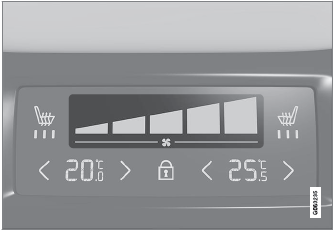
Blower controls on the rear climate panel of the tunnel console.
- Tap the desired blower speed, 1-5.
- The blower speed will be changed and the buttons for the set speed will light up.
Test yourself
A quick Volvo XC90 quiz: every answer comes with an explanation and a link to the manual page.
Was this page helpful?