Navigation
Display of current position
In this manual: Navigation
~1min read
You can display your current position coordinates even when route guidance is switched off.
1. Select “Navigation” and press the controller.
2. Move to the fourth field from the top.
Turn the controller to select "Vehicle position" and press the controller.
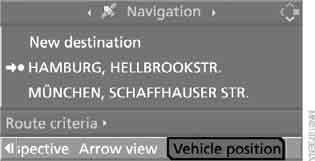
You can see the current position of your BMW on the screen.
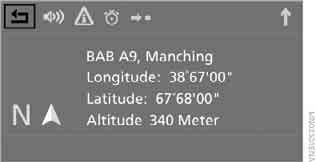
If the navigation system does not recognize the locality, the coordinates (longitude and latitude) are shown on the screen.
To exit the menu, select and press the controller.
You can also view your current position on the map.
Test yourself
A quick BMW X3 quiz: every answer comes with an explanation and a link to the manual page.
Was this page helpful?