Navigation system
Selecting Waypoints
In this manual: Navigation system
~1min read
In the "Business" navigation system:
during route guidance, you can specify one or two waypoints through which the route must pass. These can be towns or road junctions suggested by the navigation system depending on the route length.
1. Select "Navigation" and press the controller.
2. Push the controller back so the selection marker moves to the second field from the top. Turn the controller to select "Route via" and press the controller.
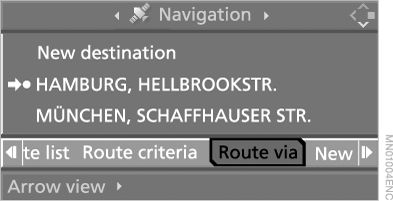
3. Select the waypoint and press the controller.
4. Select "Calculate" and press the controller.
The system calculates a new route.
To exit the menu, select and press the controller.
Test yourself
A quick BMW X5 quiz: every answer comes with an explanation and a link to the manual page.
Was this page helpful?