Navigation system
Selecting TMC station
In this manual: Navigation system
~1min read
"Business" navigation system 1. Open the main menu.
2. Press the controller to open the menu .
3. Select "Traffic information settings" and press the controller.
4. Select "TMC" and press the controller.
5. Select the TMC channel and press the controller.
"TMC AUTO": automatic selection of the TMC radio station with the best reception.
"Professional" Navigation System
1. Open the home screen.
2. Press the controller to go to the menu .
3. Select "Traffic information settings" and press the controller.
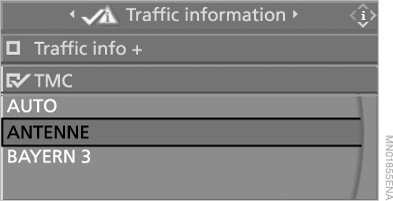
4. Select "Traffic information" and press the controller.
5. Select the TMC channel and press the controller.
"AUTO": automatic selection of the TMC station with the best reception.
Test yourself
A quick BMW X5 quiz: every answer comes with an explanation and a link to the manual page.
Was this page helpful?