Viewing traffic information
Switching the traffic information display on and off during route guidance:
Select and press the controller.
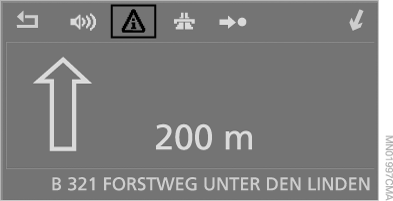
Displaying traffic information in all cases:
1. Open the main menu.
2. Push the controller to the right to open the "Navigation" menu.
3. Select "Traffic information" and press the controller.
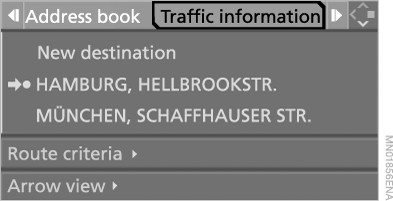
The latest traffic information is shown on the control display.
The entries are sorted by distance.
In the "Business" navigation system:
Traffic information for the planned route is displayed at the top of the list during guidance to the destination. It is marked with a triangle with a red border.
4. To display detailed information:
select the entry and press the controller.

To exit the menu, select and press the controller.
Traffic information symbols
 Traffic event – on a map with a scale greater than 10 km, an arrow indicates the corresponding direction.
 Congestion without a cause indicated
 Traffic light not working
 Road works
 Difficult passage
 Hazardous goods
 Vehicle in oncoming lane
 Height restriction
 No parking spaces
 Fog
 Risk of skidding
 Crosswind
 Smog
 Road closed
 Risk of traffic jam
 Stop-and-go traffic
 Traffic jam
 Black ice
 Uneven road
 Accident
 Road narrowing
 Delay
Test yourself
A quick BMW X5 quiz: every answer comes with an explanation and a link to the manual page.