Multimedia Manual
Examples for Radio with CD Player/CD Changer System
In this manual: Multimedia Manual
~1min read
Selecting an Option
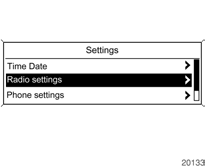
Turn the MENU knob to move the cursor (= highlighted background) to the desired option.
Press the MENU knob to select the highlighted option.
Submenu
An arrow at the right edge of the menu indicates that selecting the option will open a submenu with additional options.
Activating a Setting
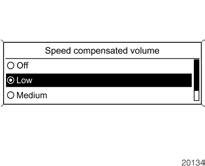
Turn the MENU knob to highlight the desired setting.
Press the MENU knob to activate the setting.
Changing a Value
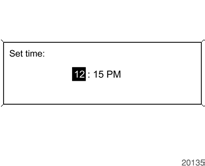
Turn the MENU knob to change the current value of the setting.
Press the MENU knob to confirm the set value.
Turning a Function On or Off
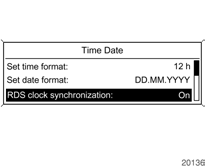
Turn the MENU knob to highlight the function to be turned on or off.
Press the MENU knob to switch between the On and Off settings.
Test yourself
A quick Chevrolet Cruze quiz: every answer comes with an explanation and a link to the manual page.
Was this page helpful?