System Settings
Various infotainment system settings and adjustments can be changed at any time.
To open the system settings menu, press the CONFIG button.
Volume Settings
Maximum Startup Volume
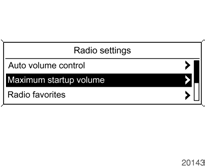
Select Radio settings, then Maximum startup volume.
Radio with CD player: select Audio settings, then Start up Volume.
Set the desired value.
Speed-Compensated Volume
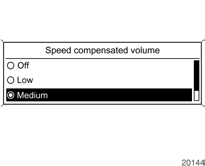
Select Radio settings, then Speed compensated volume.
Radio with CD player: select Audio settings, then Speed compensated volume.
In the displayed menu, speed compensated volume can be turned off or the level of volume adjustment can be selected.
Select the desired option.
Traffic Announcement (TA) Volume
The traffic announcement volume can be increased or decreased relative to the normal playback volume.
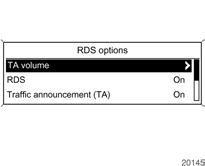
Select Radio settings, RDS options, then TA volume.
Radio with CD player: select Audio settings, RDS options, then TA volume.
Set the desired value to increase or decrease the volume.
Test yourself
A quick Chevrolet Cruze quiz: every answer comes with an explanation and a link to the manual page.