Owner's Manual Citroën C5 II
Petrol - diesel engines, manual or automatic gearbox
In this manual: Owner's Manual Citroën C5 II
5steps
~30min
2/5difficulty
Done 0 of 5
Petrol and diesel engines, manual or automatic gearbox
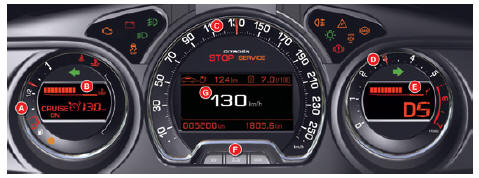
Panel grouping the gauges and operating indicator lights of the vehicle.
- Fuel gauge
- Indicator:
- Coolant temperature
- Speed limiter/cruise control information
- Speedometer
- Tachometer
- Indicator:
- Engine oil temperature
- Gear selector position and engaged gear indicator (automatic gearbox)
- Controls:
- Instrument panel lighting dimmer
- Reset of trip odometer and service indicator
- Instrument cluster display showing:
- Depending on the page selected with the left steering wheel thumbwheel:
- Digital speed reminder
- Trip computer
- Guidance information reminder
- Warning message display
- Engine oil level check
- Service indicator
- Permanently:
- Trip odometer
- Total odometer
General menu
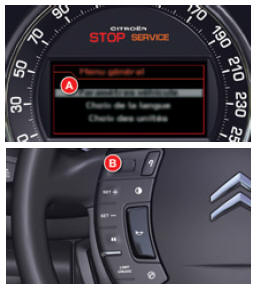
The instrument cluster display A is located in the centre of the instrument panel.
- With the vehicle stationary, you can access the instrument cluster display general menu by briefly pressing the left steering wheel thumbwheel B.
- With the vehicle moving, the message “Action not possible while driving” is displayed on the instrument cluster display if you try to open the general menu.
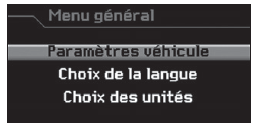
The general menu allows you to set certain vehicle functions and the instrument cluster display:
General menu
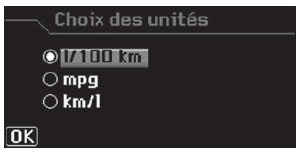
“Choice of units” menu
“Choice of units” menu
It allows you to select the metric or imperial measurement system.
“Language selection” menu
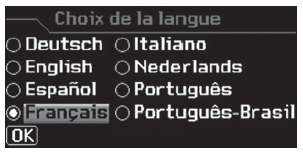
“Language selection” menu
It allows you to select the language for the display and the voice guidance.
“Vehicle settings” menu
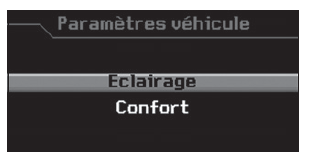
“Vehicle settings” menu
It gives access to the settings for the following functions:
- Vehicle lighting.
- Vehicle comfort.
“Lighting” menu
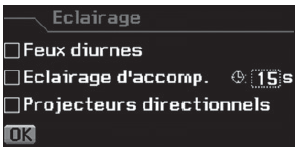
“Lighting” menu
Once this menu is selected, you can:
- Activate/deactivate the daytime running lights *.
- Activate/deactivate the automatic follow-me-home lighting and set its duration.
- Activate/deactivate the bi-function Xenon cornering headlamps.
“Comfort” menu
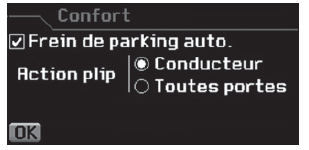
“Comfort” menu
Once this menu is selected, you can:
- Activate/deactivate the driver welcome function.
- Select unlocking of all doors or only the driver's door.
- Activate/deactivate the automatic application of the electric parking brake.
Test yourself
A quick Citroen C5 Aircross quiz: every answer comes with an explanation and a link to the manual page.
Was this page helpful?