Audio and telematics
DAB (Digital Audio Broadcasting) radio
In this manual: Audio and telematics
~1min read
Journaline is a text-based information service developed for digital radio systems. It provides text information organised hierarchically, in the form of topics and subtopics. This service is available via the "DAB STATION LIST" page.
Digital radio
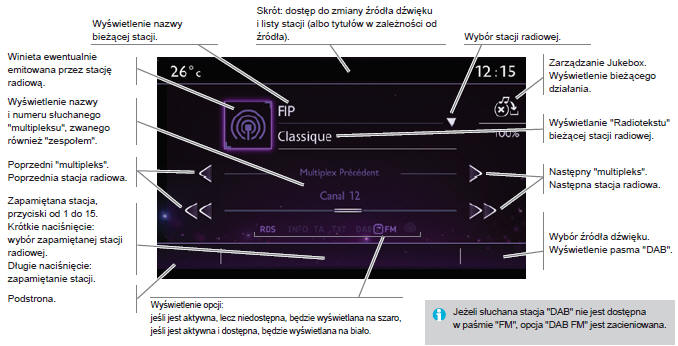
Digital radio provides higher sound quality as well as graphic information about the station being listened to. Select "List" on the home page. The individual "multiplex/ensemble" blocks offer a choice of stations sorted in alphabetical order. Press Radio Media to
display the home page.
 Select to change the source.
 Select " DAB Radio ".
 Select " List " on the
home page
or
Select " Radio station list " on the subpage
Select a radio station from the list offered.
DAB/FM Tracking
"DAB" does not cover 100% of the country. When the digital signal quality is weak, "DAB/FM Tracking" allows you to keep listening to the same radio station by automatically switching to the corresponding analogue station on the "FM" band (if available). Press Radio Media to
display the home page.
 Press the subpage.
 Select " Settings ".
 Select " Radio ".
 Select "Digital radio/FM tracking
", then press " Confirm ".
Test yourself
A quick Citroen DS3 quiz: every answer comes with an explanation and a link to the manual page.
Was this page helpful?