Introduction
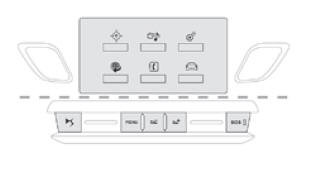
Use the buttons below the touch screen to scroll through the individual menus, then press the buttons shown on the touch screen.
Each menu is displayed on one or two pages (main page and sub-page).
At very high temperatures, the system may switch to standby (screen and sound completely off) for at least 5 minutes.
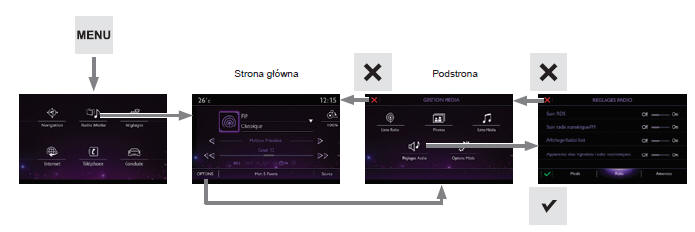
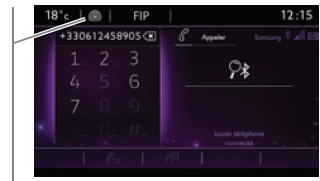
Shortcuts: the touch buttons on the top bar of the touch screen give direct access to selecting the audio source and the station list (or track titles, depending on the source).
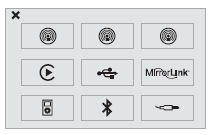
Selecting the audio source (depending on version):
- FM / DAB / AM* wave bands
- "USB" memory.
- Smartphone via MirrorLinkTM or CarPlay.
- Phone connected via Bluetooth* and the Bluetooth* multimedia system (streaming).
- Portable player connected to the auxiliary socket (jack; cable must be purchased separately).
- Jukebox*, after copying the audio files to the system's internal memory.
 Press Menu to scroll through the menu types.
Volume adjustment (each source is set independently, including traffic information (TA) and navigation system prompts).
 Increase volume.
 Decrease volume.
Mute the sound by pressing the volume up and volume down buttons at the same time.
Restore the sound by pressing one of the two volume buttons.
In case of strong heating, the volume may be reduced to protect the system. The previous level is restored once the temperature inside the vehicle drops. The screen is "resistive": press harder, especially when scrolling (scrolling lists, moving the map...). A light touch is not enough. The screen does not respond to multi-finger touch. The technology used allows the screen to be operated with gloves and used at any temperature. To clean the screen, use a soft cloth (such as a spectacle cloth) without cleaning products. Do not touch the screen with sharp objects. Do not touch the screen with wet hands.* Depending on equipment.
Test yourself
A quick Citroen DS3 quiz: every answer comes with an explanation and a link to the manual page.