Audio and telematics
Traffic
In this manual: Audio and telematics
~1min read
Traffic information
Displaying messages
 Press " Navigation " to
display the home page.
 Press the subpage.
 Select " Traffic messages ".
Set the filters:
 "Along route,
 " Nearby ",
 " At destination " to
display a narrowed list of messages.
Press again to turn off the filter.
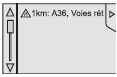 Select a message
from the displayed list.
 Select the magnifier to get
voice information.
Setting filters
 Press " Navigation " to
display the home page.
 Press the subpage.
 Select " Settings ".
 Select " Traffic options ".
 Select:
- " Notify of new messages ",
- " Read messages aloud ",
Then narrow the filtering.
 Select "Confirm".
We recommend setting the filter radius:
- 20 km in urban areas,
- 50 km on motorways.
Listening to TA messages
 Press Navigation to
display the home page.
 Press the subpage.
 Select " Settings ".
 Select " Voice ".
 Turn " Traffic announcements (TA) "
on/off.
Test yourself
A quick Citroen DS3 quiz: every answer comes with an explanation and a link to the manual page.
Was this page helpful?