Powertrain
Crankshaft Position (CKP) Sensor
In this manual: Powertrain
8steps
~58min
4/5difficulty
2special tools
Done 0 of 8
Special Tool(s)
General Equipment
Removal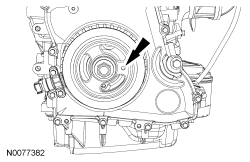
 Installation
 |
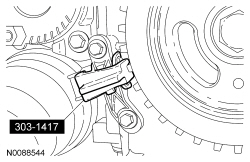
Aligner, Crankshaft Sensor 303-1417 |
 |
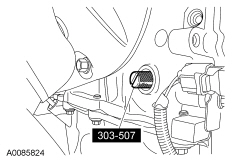
Timing Peg, Crankshaft TDC 303-507 |
General Equipment
6 mm x 18 mm bolt
| Item | Part Number | Description |
|---|---|---|
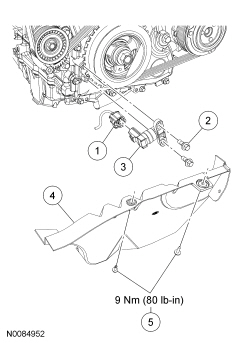
| 1 | 14A464 | Crankshaft Position (CKP) sensor electrical connector |
| 2 | W701219 | CKP sensor bolt (2 required) |
| 3 | 6C315 | CKP sensor |
| 4 | 6775 | Accessory drive belt splash shield |
| 5 | — | Accessory drive belt splash shield bolts (2 required) |
Removal
- With the vehicle in NEUTRAL, position it on a hoist. For additional information, refer to Section 100-02.
- Remove the 2 bolts and the accessory drive belt splash shield.
- Disconnect the Crankshaft Position (CKP) sensor electrical connector.
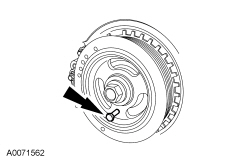
- Turn the crankshaft clockwise until the hole in the crankshaft pulley is in the 3 o'clock position.
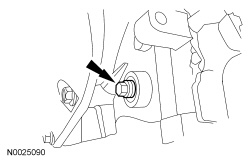
- NOTE: The cylinder block plug is located on the exhaust side of the engine block near the CKP sensor.
Remove the cylinder block plug.
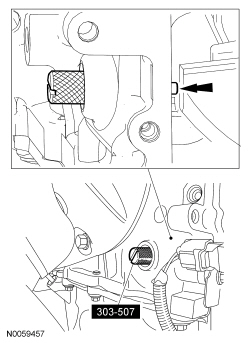
- NOTE: When the crankshaft contacts the Crankshaft TDC Timing Peg, the No. 1 cylinder will be at Top Dead Center (TDC) .
Install the crankshaft TDC Timing Peg.
- Turn the crankshaft clockwise until the crankshaft contacts the Crankshaft TDC Timing Peg.
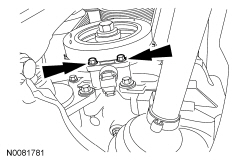
- Remove the CKP sensor retaining bolts and the sensor.
- NOTICE: Only hand-tighten the bolt or damage to the front cover can occur.
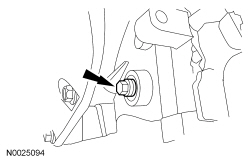
Install a 6 mm x 18 mm standard bolt.
Installation
- Install the CKP sensor, but do not tighten the 2 bolts at this time.
- Using the Crankshaft Sensor Aligner, adjust the CKP sensor. Tighten the 2 CKP sensor bolts to 7 N·m.
- Connect the CKP sensor electrical connector.
- Remove the 6 mm x 18 mm bolt.
- Remove the Crankshaft TDC Timing Peg.
- Install the cylinder block plug.
- Tighten to 20 N·m.
- Install the accessory drive belt splash shield and the 2 bolts.
- Tighten to 9 N·m.
Test yourself
A quick Ford Focus quiz: every answer comes with an explanation and a link to the manual page.
Was this page helpful?