Features
To Clear the System
In this manual: Features
6steps
~36min
2/5difficulty
Done 0 of 6
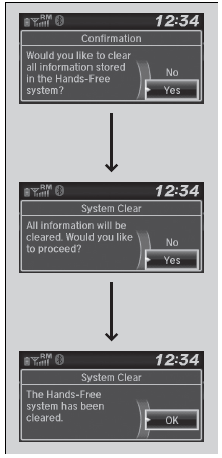
Pairing codes, paired phones, all stored voice tags, all speed dial entries, all call history data, and all imported phonebook data are erased.
- Press the
 button or the
 button.
- Rotate
 to select Phone Setup, then press
 .
- Rotate to select System Clear, then press.
- Rotateto select Yes, then press .
- A confirmation message appears on the screen. Rotateto select Yes, then press .
- A notification appears on the screen. Press.
Test yourself
A quick Honda Civic quiz: every answer comes with an explanation and a link to the manual page.
Was this page helpful?