Radio Data System (RDS)
Provides text data information related to your selected RDS-capable FM station.
RDS Info Display
When RDS INFO is set to ON, the name of the FM station is displayed. When set to OFF, the frequency of the station is displayed.
Searching for Programs by RDS Category
 AUDIO button (in FM/AM mode)
►AUDIO MENU ► RDS search
Search for FM stations with a strong signal that broadcast the selected RDS category information.
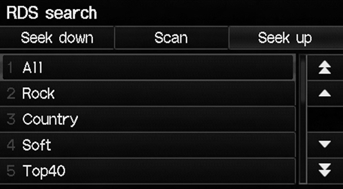
1. Select a search method (Seek up, Seek down, Scan). 2. Select a category. ► Scanning for stations in that category begins. When an RDS station is found, it begins to play.
► If there are no RDS-capable stations in the area, “NOTHING” briefly appears on the display.
Radio Text Display
AUDIO button (in FM/AM mode)
►AUDIO MENU ►Radio Text
Display the radio text information of the selected RDS station.
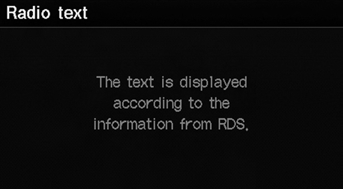
The RDS indicator comes on the display when the selected RDS station is broadcasting text data.
Test yourself
A quick Honda Fit quiz: every answer comes with an explanation and a link to the manual page.