Second generation (2007-2026)
Using the Phonebook
In this manual: Second generation (2007-2026)
~1min read
 PHONE button
► Phonebook
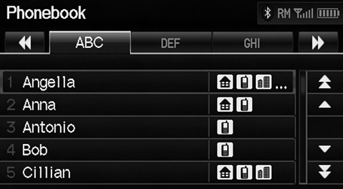
1. Select a name. Select alphabetical tabs to display the entries in the group. 2. Select a number.
3. Select Call to begin dialing.
Up to three icons are displayed for each phonebook entry. If there are more than three numbers for an entry, “…” is displayed.
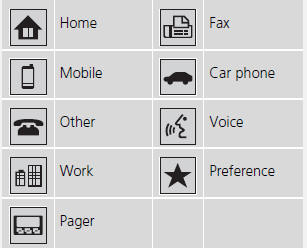
This feature is not available on all phones.
Test yourself
A quick Honda Fit quiz: every answer comes with an explanation and a link to the manual page.
Was this page helpful?