Occupant Classification System (OCS) Repair Procedures
In this manual: Restraints
17steps
~102min
4/5difficulty
Done 0 of 17
Removal
Occupant Classification System (OCS) Unit
Disconnect the negative battery cable and wait at least three minutes before starting work.
Remove the front passenger seat assembly. (Refer to Body - "Front Seat Assembly")
Disconnect the occupant classification system unit connector (A).
Remove the occupant classification system unit (A) after loosening the mounting screws.
Disconnect the negative battery cable and wait at least three minutes before starting work.
Remove the front passenger seat assembly. (Refer to Body - "Front Seat Assembly")
Remove the front seat cushion assembly. (Refer to Body - "Front Seat Cushion Cover")
Occupant Classification System (OCS) Sensor
Installation
Occupant Classification System (OCS) Unit
Install the occupant classification system unit on the front seat assembly guide.
Connect the occupant classification system unit connector.
Install the front passenger seat assembly. (Refer to Body - "Front Seat Assembly")
Connect the negative battery cable.
After installing the occupant classification system, check that the system operates correctly.
Turn the ignition ON. The SRS indicator should illuminate for approximately six seconds and then turn off.
The warning lamp illuminates for 4 seconds and turns off within 3 seconds. After 7 seconds it should remain off if the OCS does not require suppression and the passenger airbag is enabled.
Be sure to perform the OCS reset using GDS after replacing the OCS unit.
OCS Reset Procedure
You must perform the OCS reset procedure after servicing or replacing almost any part of the passenger seat. (Complete front seat assembly is not included)
Ignition OFF, connect GDS.
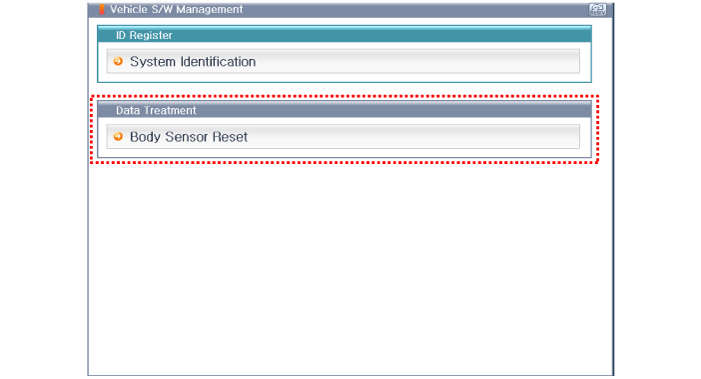
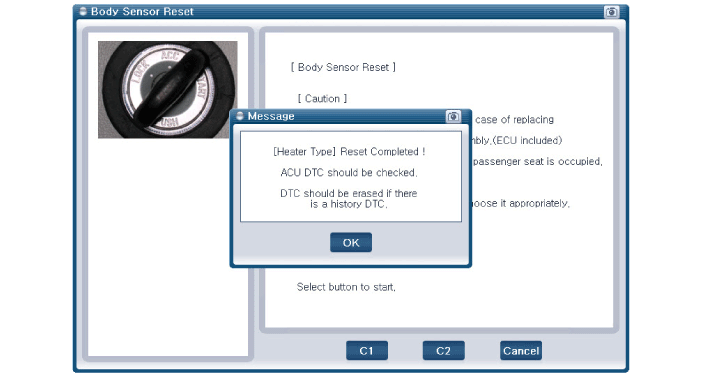
Turn the ignition ON and the engine OFF, select the airbag system and the "Body Sensor Reset" mode.
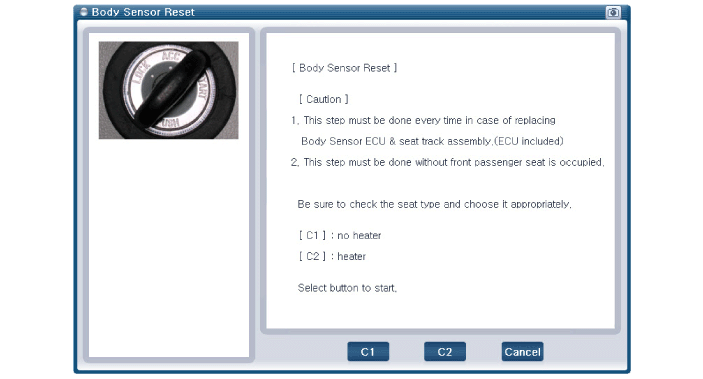
GDS will display two steps of the OCS reset function.
Erase the OCS diagnostic trouble codes.
OCS initialization.
This step must be performed when the front passenger seat is unoccupied.
Select the product configuration.
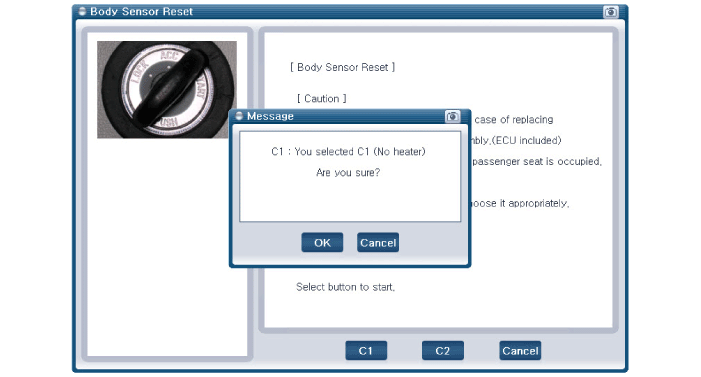
C1: Without heater
C2: Heater
Before starting the OCS Reset process, verify the seat configuration on the actual vehicle.
If you see the center console, you can find different buttons for each seat configuration type. (Refer to the illustration below)
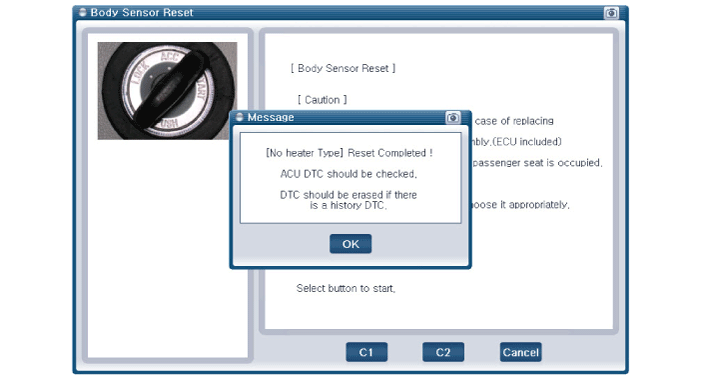
The OCS initialization procedure will be performed. C1: No heater type resetC2: Heater type reset (including ventilated seat)
Erase the SRSCM diagnostic trouble codes after completing the OCS reset.
Malfunction Code
Code Name
Description
B176300
ECU Defect
Reset (calibration setting) not completed
ECU damaged by physical load
B176400
MAT Defect
MAT and ECU are not connected.
MAT damaged by physical load.
B17672F
Deactivation Algorithm
Humidity is too high.
B111117
IGN voltage high
IGN voltage is high.
B111216
IGN voltage low
IGN voltage is low.
B160388
CAN bus off
CAN bus is not operating.
B169787
ACU communication error
CAN bus is not operating.
ACU is not operating.
?
Test yourself
A quick Hyundai Elantra AD quiz: every answer comes with an explanation and a link to the manual page.