Feature Settings
Setting
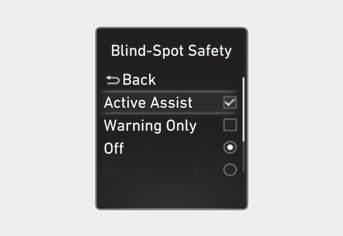
Blind-Spot Safety
With the engine running, select or deselect "Driver Assistance → Blind-Spot Safety" in the Settings menu to set whether or not to use each feature.
-- If "Warning Only" is selected, the system will warn the driver with a warning message and an audible warning depending on the collision risk level. Braking assistance will not be provided.
-- If "Off" is selected, the system is turned off.
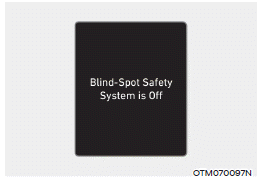
When the engine is restarted with the system turned off, the "Off" message for the Blind-Spot Safety system will appear on the instrument cluster.
If you change the setting from "Off" to "Warning Only," the warning lamp on the outside rearview mirror will flash for three seconds.
In addition, if the engine is started while the system is set to "Warning Only", the warning light on the outside rearview mirror will flash for three seconds.
WARNING
- If "Warning Only" is selected, braking assistance is not provided.
- If "Off" is selected, the driver must always be aware of the surroundings and drive safely.
Information
If the engine is restarted, the Blind-Spot Safety system will retain the last setting.
Warning Timing
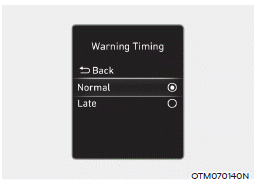
With the engine running, select "Driver Assistance → Warning Timing" from the Settings menu to change the initial warning activation timing for the Blind-Spot Safety system.
When the vehicle is first delivered, the Warning Timing is set to "Normal". If you change the warning timing, the warning timing of other driver assistance systems may change.
Warning Volume
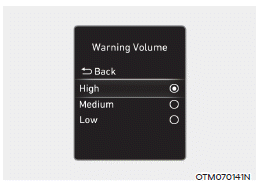
With the engine running, select "Driver Assistance → Warning Volume" from the Settings menu to change the warning volume to "High", "Medium" or "Low" for the Blind-Spot Safety system.
If you change the Warning Volume, the warning volume of other driver assistance systems may change.
CAUTION
- The Warning Timing and Warning Volume settings apply to all Blind-Spot Safety system functions.
- Even if "Normal" is selected for Warning Timing, if vehicles approach at high speed, the initial warning activation timing may seem late.
- Select "Late" for Warning Timing when traffic is light and driving speed is slow.
Test yourself
A quick Hyundai Elantra CN7 quiz: every answer comes with an explanation and a link to the manual page.