Feature Settings
Setting
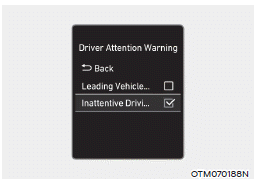
With the engine running, select or deselect "Driver Assistance → Driver Attention Warning" from the Settings menu to set whether to use each feature.
-- If "Driver Attention Warning" is selected, the system can inform the driver of their attention level and may recommend taking a break when the level drops below a certain level.
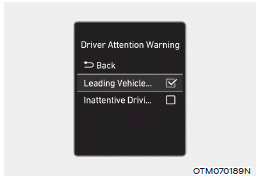
-- If "Lead Vehicle Departure Alert" is selected, the feature can inform the driver when the vehicle ahead moves away from a stop.
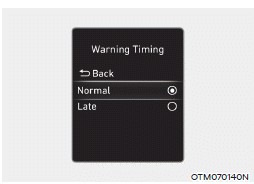
Warning Timing
With the engine running, select "Driver Assistance → Warning Timing" from the Settings menu to change the initial activation timing of the Driver Attention Warning.
When the vehicle is first delivered, the Warning Timing is set to "Normal". If you change the warning timing, the warning timing of other driver assistance systems may change.
Information
If the engine is restarted, the Driver Attention Warning will retain the last setting.
Test yourself
A quick Hyundai Elantra CN7 quiz: every answer comes with an explanation and a link to the manual page.