Clock
 WARNING
Do not set the clock while driving. You may lose control of the vehicle and cause an accident that could result in serious or fatal injury.
With Audio System
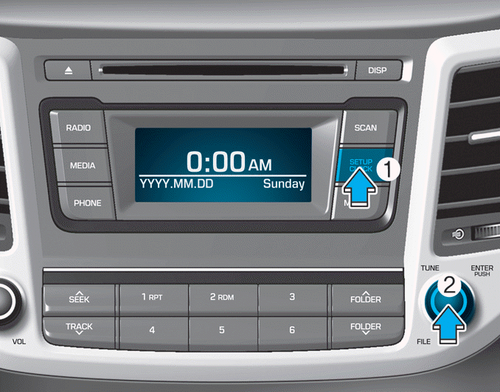
If the battery or the related fuses are disconnected, the time will be reset.
To set the time:
The ignition must be in the ACC or ON position.
• H (hour)
Press the H button to advance the displayed time by one hour.
• M (minute)
Press the M button to advance the displayed time by one minute.
• Switching the Media Advertisement
To change the 12-hour format to the 24-hour format, press and hold the H and M buttons at the same time for more than 4 seconds.
For example, if you press H and M at 22:15, the display shows 22:15.
With AVN System (if equipped)
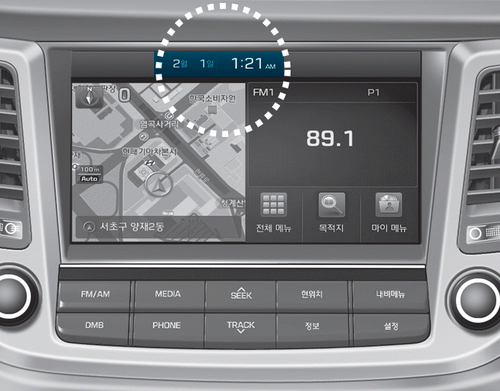
You can set the clock using the AVN system.
Clock Synchronization with GPS On
The clock is automatically updated through the AVN system.
Clock Synchronization with GPS Off
The clock can be set manually.
1. Select System Settings on the INFO/SETUP screen.
2. Select Clock.
3. Select Date/Time Settings.
4. Set the date and time using the (▲ / ▼) buttons on the screen.
For more information, refer to the manual supplied with your vehicle.
Test yourself
A quick Hyundai Tucson quiz: every answer comes with an explanation and a link to the manual page.