Multimedia System
Media Mode
In this manual: Multimedia System
~1min read
Press key changes the operating mode in the following order: CD ➟ USB (iPod®) ➟ AUX ➟ My Music ➟ BT Audio.
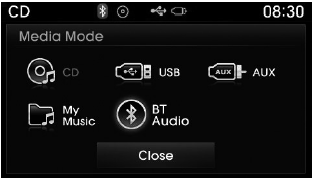
If [Mode Pop-up] is turned on in the
 [Display] setting, pressing the
 key will display the Media mode pop-up screen.
Turn Turn the TUNE knob to move the focus. Press the knob to select.
✽ NOTICE
The media mode pop-up screen may appear only when two or more media modes are enabled.
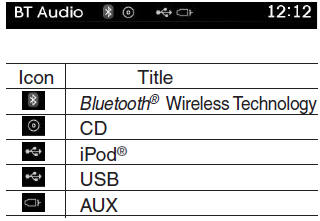
Title icon
When a Bluetooth® Wireless Technology device, iPod®, USB, or AUX is connected, or a CD is inserted, the icon of the corresponding mode will be displayed.
Test yourself
A quick Hyundai Tucson LM quiz: every answer comes with an explanation and a link to the manual page.
Was this page helpful?